First, a broken link in the chain
You have an agent write some Kotlin. It says it’s done. Now what?
You open Android Studio yourself, watch Gradle spin, wait for the emulator, then poke the screen with your mouse to check whether that string actually changed. Inside the terminal the agent flies. At the point where you need to look at the screen, the chain snaps, and the rest of the work belongs to your eyes.
That gap is what Google just filled. Android CLI is at 1.0 stable. Their words:
Whether you use Gemini in Android Studio, Antigravity 2.0 or Antigravity CLI, or a third-party agent like Anthropic’s Claude Code or OpenAI’s Codex, our mission stays the same: make high-quality Android development possible anywhere.
Blunt enough. Whichever agent you use, they want you to stay in the terminal. I ran it end to end on this machine, from creating a project all the way to looking at the screen.
What it actually ships
I’ll go through the list by what it saves your agent from doing.
One android command
After installing you get a single command, android, with 19 top-level subcommands. Creating projects, starting emulators, installing apps, looking at the screen, all of it:
auth completion create describe device docs emulator info init
install layout run screen sdk skills studio update help
Agents used to have to remember three sets of flags for adb, emulator and gradle. Now there is one entry point against one SDK. It installs a single 3.6 MB binary into your home directory, and afterward android info reports the SDK path and version.
The official skills library
android init is the interesting one. It takes no arguments, and when it finishes it has written a 24,922-byte android-cli skill into every agent’s skill directory on your machine. It hit 10 on mine:
~/.claude/skills          ~/.gemini/skills           ~/.agents/skills
~/.commandcode/skills     ~/.hermes/skills           ~/.junie/skills
~/.openclaw/skills        ~/.config/opencode/skills  ~/.pi/agent/skills
~/.gemini/antigravity/skills
Hermes is in there, along with Claude Code, Codex, Gemini, OpenClaw and OpenCode. Worth looking at which directories it wrote into after it runs. It is dropping files in your home, after all.
There are 24 skills in the library now; android skills list shows them all. On the UI side: adaptive, camerax (camera migration), edge-to-edge, wear-compose-m3 (Wear OS).
There are a few project-hygiene ones too: play-policy-insights, restore-credentials, testing-setup, r8-analyzer. Installing is one line, android skills add <name>, and you can pick which agent gets it.
An offline copy of the official docs
android docs search "edge to edge" downloads an index on first run. 5,319 entries, measured. What comes back is not a URL but a kb://android/... protocol address.
Even the sample code inside skills is in there, e.g. kb://android/agents/skills/wear/wear-compose-m3/references/material3/EdgeButtonSample.kt. Agents no longer have to search blogs. The official docs are queryable locally.
The look-at-the-screen commands
This group is the most useful thing in the release. screen capture --annotate labels the elements on screen as #1, #2, and screen resolve turns those labels back into coordinates:
android --no-metrics screen capture --annotate --output shots/12-annotated.png
android --no-metrics screen resolve --screenshot shots/12-annotated.png --string "tap #1 and #2"
# output: tap 72 31 and 835 30
The agent no longer does pixel math. It points at #3 and says tap this. layout in the same group returns the UI tree as JSON, with bounds and center point for every control.
Borrowing Android Studio’s semantic analysis
The new android studio subcommands: find-declaration for definitions, find-usages for references, analyze-file to run inspections, render-compose-preview to render a Compose preview, version-lookup for dependency versions, open-file to open a file in the IDE.
That means the agent borrows the IDE’s fifteen-odd years of semantic analysis instead of guessing with regex. There is a floor: Android Studio Quail 1 or later.
Booking a physical device
android device remote lets you book a remote physical device to run on. Their example connects to a Pixel 10 Pro. This path needs android auth and a Google account first.
I ran it from zero on macOS
Only a clean run counts. These are the commands I actually ran, none left out:
# install: download the script and read it first, don't pipe straight into shell
curl -fsSL -o /tmp/android-cli-install.sh \
  https://dl.google.com/android/cli/latest/darwin_arm64/install.sh
bash /tmp/android-cli-install.sh            # → ~/.local/bin/android, 3,650,880 bytes

android --no-metrics -V                     # 1.0.16500706, first run walks you through the Android SDK terms
android init                                # writes skills into each agent's skill directory
android --no-metrics skills list            # official skill catalog, 24 measured
android --no-metrics docs search "edge to edge"

# end to end: create project → start emulator → build → install → look at screen
android --no-metrics create --name CliDemo \
  --application-id com.example.clidemo --min-sdk 36 -o ~/android-cli-repro/CliDemo
android --no-metrics emulator list          # existing AVD on my machine: Medium_Phone_API_36.1
android --no-metrics emulator start Medium_Phone_API_36.1   # returns only when ready, about 17s
cd ~/android-cli-repro/CliDemo
./gradlew :app:assembleDebug                # first build: BUILD SUCCESSFUL in 1m 24s
android --no-metrics run --apks app/build/outputs/apk/debug/app-debug.apk
android --no-metrics screen capture --output shots/10-before.png
android --no-metrics layout
Project creation first. create produces a Compose + AGP 9 + Kotlin 2.3.20 project. I never touched SDK Manager. It noticed platforms/android-36 was missing and installed it.
emulator start is a nicely designed piece: it blocks until the device is fully booted, printing remaining seconds along the way, so you never poll adb yourself. Ready in 17 seconds for me.
What actually surprised me was the second run. I changed one string, listOf("Android") to listOf("Android CLI") in the data source, and ran the loop again:
./gradlew :app:assembleDebug                # incremental: BUILD SUCCESSFUL in 8s
android --no-metrics run --apks app/build/outputs/apk/debug/app-debug.apk
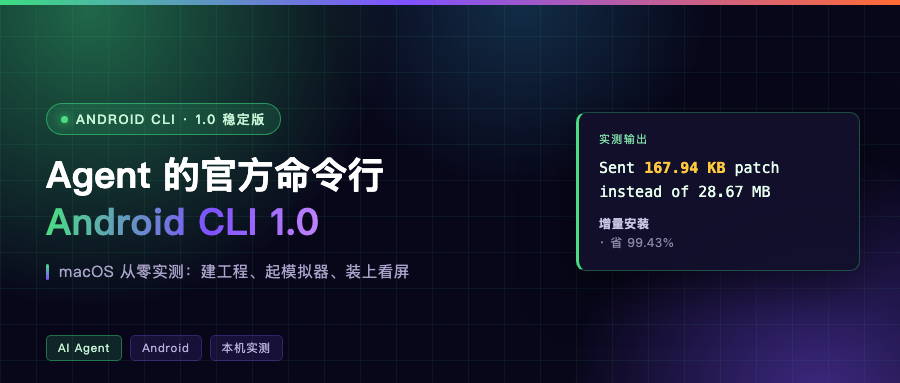
# Delta Install: Sent 167.94 KB patch instead of 28.67 MB (1 APK, 99.43% savings)
The first install pushed 28.64 MB. The second pushed a 167.94 KB patch, 99.43% saved. Delta install is on by default (--use-delta-install defaults to true), and for the change-a-string-and-look loop, everything you save is waiting.
Reading the UI tree with layout afterward, the string is already the new one:
应用窗口: CliDemo  焦点=True  边界=[0,0][1080,2400]
  - android.widget.TextView | text='Hello Android CLI!' | center=[220,136]


The entry bar and a few pitfalls
The one that trips you up fastest is run. Its description says build, deploy, launch. Without --apks, it just fails for me:
Error: No apks specified. Use --apks <path1,path2,...>
Component check failed
The APK was already built and describe had just located it. run still would not do it on its own. The actual split: producing the artifact belongs to the project’s own ./gradlew, run handles install and launch.
One more, sneakier. The package deploys but the UI does not change, because the old process is still alive and run will not force-kill it for you. Add adb shell am force-stop com.example.clidemo and run again.
There is a version floor too. The android studio commands need Quail 1 or later. Too old and you get No running Studio instances found, plus a line telling you to grab a newer build from the site.
Two more. android init writes files into your home directory, it is not a read-only operation, so if you have a lot of agents on the machine, read the list before you run it. And the subcommand is the singular device; android device list reports 'list' is not a valid command.
Also android completion writes shell completion into your shell config. Do not run it if you do not want that touched.
Telemetry deserves a line. The CLI collects data by default. The docs say what: which subcommand ran, the parameter names used, and a set of fixed values such as emulator template names and agent names (GEMINI, CLAUDE, CODEX). Add --no-metrics if you do not want it. Every command above carries it.
One last thing
This release did not invent a separate workflow for agents. It changed the things that already existed. Docs, skills, emulators, physical devices, IDE semantic analysis: all now exposed as interfaces a machine can read.
The details are handled too. Pixel coordinates become labels like #3, the UI tree comes back as JSON.
On your toolchain: would you hand the whole change-code-to-see-the-screen stretch over to an agent? Comments are open.