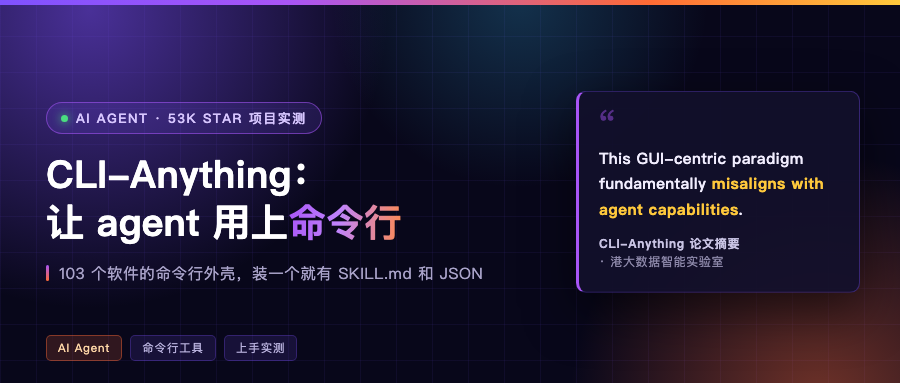
Agents clicking a mouse was never quite right
The most common way to make an agent drive software right now is to let it look at screenshots, find buttons, and click coordinates. It works, but it is brittle. Resize a window, move a button a notch, let a page load half a beat slow, and it starts clicking blindly.
A team at HKU put the problem with this approach bluntly:
Current GUI agents struggle with brittle pixel-level interactions, timing dependencies, and coordinate-based actions that break with interface changes.
Meaning: today’s GUI agents get stuck on fragile pixel-level interaction, on timing dependencies, and on coordinate actions that break the moment the interface changes.
Their alternative is almost surprisingly plain. Stop making the agent look at the screen. Give the software a command line.
CLI-Anything turns this into a pipeline
The project is called CLI-Anything, under HKU’s Data Intelligence Lab (HKUDS), backed by a paper titled “CLI-Anything: Towards Agent-Native Computer Use”. When I looked on October 16 it had 53,122 stars, Apache-2.0, written in Python.
What it ships is a repo plus a hub. Installing the hub itself is one command:
pip install cli-anything-hub
After that you get 103 command line tools to choose from: 79 are harnesses they wrote for specific software, 24 are existing third-party packages, covering 35 categories. Pick one, again one command:
cli-hub install 3mf
cli-hub install ollama
Naming is uniform. After install the entry points are cli-anything-3mf, cli-anything-ollama.
There is another layer called the capability matrix, five tables organizing CLIs by scenario (video 14, knowledge research 13, games 9, image and design 7, 3D CAD 6), with built-in gap checks and task recipes. Ask it something like which tools do I need to make a short video, and it lists who provides each capability point and what is missing.
Install one CLI, the agent gets three things
The first is a skill file written for the agent to read. Every harness has a SKILL.md covering what the software does, how to type the commands, and where the pitfalls are. They also ship matched skill packs for Claude Code, Cursor, Codex and Hermes.
The second is structured output. Almost every command takes --json and returns machine-friendly JSON instead of a screen of text formatted for humans.
The third is session state. Harnesses are stateful: there is a session group of subcommands to manage state, plus a REPL mode. Meaning the agent can work step by step like a person, without re-explaining the context every time.

Hands-on: three apps, three endings
I actually ran it on this Mac, picking three that could both install and produce real results: 3MF, Ollama, LLDB.
Start with 3MF, a 3D printing file format. The harness finds cylindrical holes, resizes them, repairs meshes. I used trimesh to build a 20×20×10 plate with a 3.0mm through hole in the middle, then let the CLI find it:
cli-anything-3mf --json inspect --axis 2 plate-with-hole.3mf
{
  "hole_count": 1,
  "holes": [
    {
      "hole_id": 0,
      "center": [-5.09e-18, -9.34e-06],
      "diameter": 2.9988,
      "axis": 2,
      "confidence": 0.9996,
      "vertex_count": 128
    }
  ]
}
Ground truth is 3.0mm. It reported 2.9988, a 4 micron error. Then resize the hole to 4.2mm:
cli-anything-3mf resize -h 0 -d 4.2 -o plate-4.2.3mf -a 2 plate-with-hole.3mf
# Resized 1 hole(s) to 4.2mm
# Hole 0: 2.999mm -> 4.200mm (128 vertices)
# Saved: plate-4.2.3mf
Took 0.33 seconds. Check again after the change, the reported diameter is 4.1983. Finally I had it diff the two files: volume dropped from 3929.43 cubic millimeters to 3861.68, a loss of 67.75.
You can check that number yourself: hole from 3.0 to 4.2 on a 10 thick plate, the theoretical removal is π/4 × (4.2² − 3.0²) × 10 = 67.86 cubic millimeters. Against its 67.75 that is a 0.16% difference, exactly the error from approximating a circle with a 128-sided polygon.

Next, Ollama. This machine already had Ollama installed with two models, bge-m3 (embeddings) and gemma4 (an 8B chat model). The harness wraps the local service:
cli-anything-ollama --json model list      # list local models with digest and quantization level
cli-anything-ollama --json embed text -m bge-m3 -i "wrap software as command lines"
# → 1024-dim vector, norm 0.999999, 1.77 seconds

cli-anything-ollama --json generate text -m gemma4 -p "explain in two Chinese sentences..." --no-stream --num-predict 1024
# → 647 tokens, 22.99 seconds, returns real Chinese text
Here I hit a pitfall worth mentioning. The first time I only gave it a 60 token cap, and the returned response was an empty string, which looks like the model did nothing. But the same JSON said eval_count: 60 and done_reason: "length", meaning it did generate 60 tokens, they were all spent on internal reasoning, and it hit the cap before reaching the actual answer.
Raise the cap to 1024 and the text appears. Anyone writing agents should remember this: an empty string from a local model does not necessarily mean nothing was generated. Check done_reason and eval_count.

The third is LLDB, the debugger. It installs, but it will not actually debug on this machine, because the system lldb is stuck behind the Xcode license gate. What is interesting is how it fails:
{
  "error": "LLDB not found. Install LLDB:\n  macOS:  xcode-select --install\n  ...",
  "type": "RuntimeError"
}
Exit code 1. It did not dump a stack trace on me. It put the raw stderr it probed, the platform install command, and the error type into one JSON object. That is an agent-friendly way to fail: read one field and you know what to do next.
After all three, the comparison looks like this:
| Software | Install | What actually came out |
|---|---|---|
| 3MF | local harness install | found the 2.9988mm hole, resized to 4.2mm, volume math checks out |
| Ollama | local harness install | 1024-dim vector, 647 real tokens, plus one empty-response pitfall |
| LLDB | local harness install | did not run, but returned structured JSON with install guidance, exit code 1 |
The on-ramp and a few pitfalls
The install was more painful than I expected. All the pitfalls are concentrated there.
cli-hub install calls pip internally, so the Python environment the hub lives in must have pip. Installing with uv tool install cli-anything-hub (nice because it does not pollute global) leaves no pip in that environment, and this subcommand immediately fails with No module named pip. If you want the official flow to work, create a virtualenv with pip and install there.
It installs packages from git, and behind a proxy you hit two network problems. First Error in the HTTP2 framing layer. After temporarily dropping git’s http.version to 1.1, it became SSL_ERROR_SYSCALL, the link itself was flapping. The safe path is to skip git, download the repo tarball and install locally:
curl -L https://codeload.github.com/HKUDS/CLI-Anything/tar.gz/refs/heads/main -o repo.tgz
tar xzf repo.tgz && cd CLI-Anything-main
python -m pip install ./3MF/agent-harness
On macOS there is another layer: /usr/bin/git is a shim blocked by the Xcode license gate, and the moment pip calls git version it dies with exit code 69. The git inside the Xcode bundle works, just put it ahead of /usr/bin in PATH.
There are two small annoyances in use. --json is a global option, so it has to come before the subcommand (cli-anything-3mf --json info x.3mf). Put it after and you get an unknown option error.
Also, 3MF hole finding returns hole_count: 0 on my plate without --axis, and only recognizes the hole when you specify --axis 2 (the hole runs along Z). And when resizing you have to use the same parameters as when finding, otherwise the hole numbering does not line up.
The capability matrix has a query: cli-hub can "transcribe audio". Natural language does not always hit. In my test that sentence returned No capability matches. You have to ask using its own vocabulary.
What about MCP
At this point it is easy to slide to the conclusion that command lines will replace MCP. That is not what they do.
Look through its catalog and several harnesses wrap MCP servers internally. The zotero one for papers describes itself as dual-form, CLI plus MCP server, 52 MCP tools and over 70 CLI commands. The Safari one wraps safari-mcp. The browser one wraps an MCP implementation called DOMShell.
My reading is that the roles are layered: MCP solves how a service exposes its capabilities, command lines solve how an agent types out an action. The former needs a service outside the process, a connection, and a tool list read in. The latter is one command and a blob of JSON. This project bets on the generality of the latter, and even its own 103 CLIs are distributed through pip, the oldest channel there is.
Which of the two saves more tokens and which fails less often needs a real head-to-head run before I would call it. This post just gets the pipeline working.
Which piece of software would you wrap first? For me it is the old tools that only have a GUI and no batch interface. Tell me in the comments.