dsh is a web app: npx starts the server, it takes port 3080, you open a browser tab and work with the agent there. It works, but switch a window or close the browser and you have to go find it again. It always feels like living in someone else’s house.
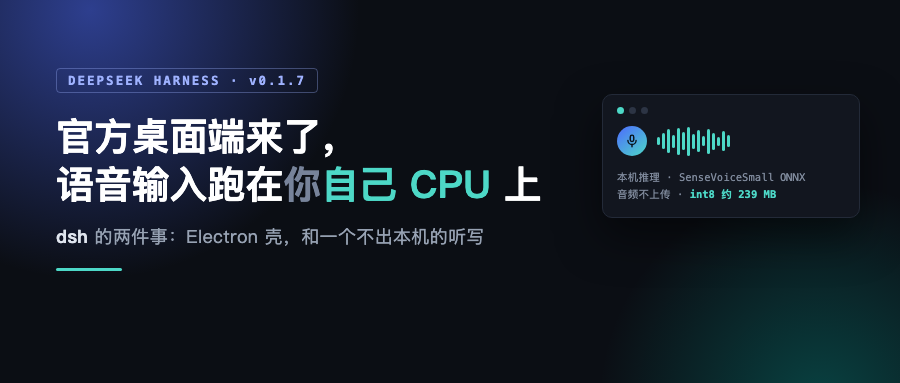
The 0.1.7 line packs two things that fix half of that awkwardness: an official desktop app, and voice input in the client. The speech is inferred locally — your voice never leaves the machine.
The desktop app ships the whole runtime with it
When I saw “official desktop app,” my first guess was an Electron shell around a WebView. After reading the architecture docs, it is more than that.
Here is the UI first. First launch is this 600×700 welcome window with real native window controls:

apps/desktop is an Electron shell, but it carries the entire runtime: Python, Node.js and pnpm all ship inside the package. One line in the docs — “the app must be able to run on a machine with no system Node.js or pnpm.” The approach runs dsh inside Electron’s ELECTRON_RUN_AS_NODE mode and does all package operations with the bundled pnpm.
That Python comes with numpy, pandas, python-docx, python-pptx, openpyxl, Pillow, lxml and XlsxWriter, registers three skills — office-docx, office-pptx, office-xlsx — and routes Office tasks to the bundled LibreOffice by default. load_workspace_dependencies installs offline into $DSH_HOME/dsh-runtimes/dsh-primary-runtime on first call, and after that never touches your system Python or your PATH.
It listens on 19387, separate from the web app’s 3080, so both can run at once. For updates it bundles the shell, the matching dsh runtime and pnpm into one signed unit. The docs give the reason plainly: independent updates would let runtime version selection drift away from the desktop release, which defeats the point.
Electron takes a single-instance lock before touching any profile and owns $DSH_HOME/profiles/desktop exclusively. The CLI and the desktop app share product data under $DSH_HOME, but executable packages, plugins, lockfiles and node_modules are kept separate, so plugins have to be installed twice.
You can sign in with your account, no API key by hand
That welcome window offers two paths: Sign in, or enter an API key yourself. My first assumption was that the first one was not wired up yet, because the docs’ “known limitations” section says “account sign-in is not integrated; the sign-in button is disabled.”
It actually works. This is the settings page after signing in — account, phone number and balance are all there:

Sign-in goes through the system browser: the host handles PKCE and a temporary local callback, credentials are stored before you enter the workspace, then the browser lands on the platform’s completion page. The authorization link even carries the current desktop theme (theme=light or theme=dark). The account page in settings can sign you out.
So that “known limitation” line is stale. Another section of the same README already documents the full sign-in flow; only the limitation list was not updated. The project is in developer preview and moves fast, so docs lag the code. Keep that in mind when reading them.
The voice model lives on your machine
One line from the 0.1.7-rc.1 release notes:
Experimental speech transcription prepares a local model on first use; supports automatic or manual selection of Hugging Face and HF-Mirror as download sources, and in automatic mode tries other available sources.
The implementation splits into three roles: the service definition routes named providers, the SenseVoice provider handles local inference, and the remote consumer serves the browser. The work is done by SenseVoiceSmall ONNX plus Silero VAD, running on the host’s CPU, called through sherpa-onnx’s Node native package. That package already carries ONNX Runtime, so users install no Python, need no compiler, and do no model conversion.
Precision defaults to int8, switchable to fp32 for reference weights. About 239 MB for int8, about 938 MB for fp32, plus runtime and VAD overhead.
It does not claim new UI real estate. The mic button sits between the model picker and the send button. Tap to record, the toolbar expands, stop and it transcribes into the draft. The waveform draws actual measured mic level. Cancel, press Escape, or hide the page and the recording is discarded. Six language hints: auto, Chinese, English, Cantonese, Japanese, Korean.
This is the composer after I enabled the plugin — the mic sits between the model picker and the send button:

A few hard constraints on local inference
Local inference is easy to turn into marketing copy. In a few places this project makes it a hard constraint.
The hardest one is no provider fallback. The design decision doc is explicit: a local failure does not authorize uploading audio to a cloud service, and audio never quietly goes out through a different provider because local inference broke. Provider choice is explicit; SpeechProviderInfo carries a processing location of host-local or cloud, and any future cloud provider has to register in the same registry with its own credential config.
Model files are verified: downloaded at a pinned revision, and size plus SHA-256 checked before loading. The host fires concurrent HEAD requests at huggingface.co and HF-Mirror and downloads from whichever returns 2xx first; pin a single source explicitly and it neither probes nor falls back. A fully offline deployment publishes no download source at all.
Transcription does not touch the session either. Recording and transcript are temporary until the user submits; recognition does not start an agent turn or create audio session events, and only the user’s own submit owns the text that finally reaches the model. Switching sessions or releasing the plugin invalidates late results.
How to start it, and one trap that will waste your time
The trap first, because it really will cost you half an hour.
The latest tag on npm for this package is still on an old version. What I measured:
$ npx -y @deepseek-ai/dsh@latest --version
0.1.5-rc.3
$ npx -y @deepseek-ai/dsh@next --version
0.1.7-rc.1
0.1.5-rc.3 shipped on September 22, and voice input lives in the 0.1.7 line. So if you follow the repo README and run npx @deepseek-ai/dsh web, you get the old version, and you can page through the plugins screen all day without finding voice.
To try it, install next explicitly:
npx -y @deepseek-ai/dsh@next web
The voice bundle is a direct dependency of dsh 0.1.7-rc.1 and ships with it, but it is disabled by default and has to be turned on in the plugin manager. Here is how it looks there, filed under Official with the toggle off:

Flip it on and it does not immediately pull 239 MB. You get this dialog first, telling you the local model will be downloaded and prepared on first use, and pointing you at the plugin details for disk and memory estimates:

The ordering is deliberate. The docs say loading the model at plugin-enable time would let one UI toggle eat startup time and memory before you have dictated a word.
The desktop app is not on npm. The package.json in apps/desktop is marked private and the registry has no entry, so you build from source:
git clone https://github.com/deepseek-ai/deepseek-harness.git
cd deepseek-harness
pnpm install
pnpm run dev:desktop
pnpm run start:desktop
I actually ran those steps: pnpm install took 27 seconds, the full build passed in 94 seconds, but partway through I hit a local toolchain problem. On my machine Xcode 26.2’s clang and ld were pointed at the Command Line Tools 27.0 SDK, and the new SDK’s .tbd files declare arm64e.x1-macos, which the old ld does not understand, so every native compile fails at link:
ld: tapi error: malformed file
/SDKs/MacOSX27.0.sdk/usr/lib/libSystem.B.tbd:4:20: error: unknown architecture
Adding export SDKROOT=/Applications/Xcode.app/Contents/Developer/Platforms/MacOSX.platform/Developer/SDKs/MacOSX26.2.sdk on the command line works around it; the real fix is to align Xcode and CLT versions. This trap is not specific to this repo.
Side note: the CLI has no desktop subcommand. dsh --help lists web, tui, headless, rescue and so on. The desktop profile is owned exclusively by Electron; the CLI can neither start it nor modify it.
The limitations worth stating
Voice runs on CPU only. The native package covers macOS arm64/x64, Linux glibc arm64/x64 and Windows x64; Windows ARM64 and Linux musl are not verified deployment targets yet.
Quantization is not equivalence. The project says so itself: on public English and stitched Chinese/English samples, int8 and fp32 differ in wording, so quantization is not treated as accuracy-equivalent. Want to save disk, take int8; want reference weights, take fp32.
The verification log records a 4.2 second public Chinese sample recognized identically three times, followed immediately by “this short sample does not represent a full accuracy evaluation.” That caveat is honest, and it also means do not read it as an accuracy conclusion.
Also, cancelling an inference drops the warmed process, and the next request reloads it.
The desktop app’s “three platforms” claim needs a discount. Chinese media report three-platform support; the repo’s explicit packaging targets are only these:
pnpm run package:desktop:mac:arm64
pnpm run package:desktop:mac:x64
pnpm run package:desktop:win:x64
The docs say “Linux is not a supported Desktop release target.” Two macOS architectures plus Windows x64 is not three operating systems.
The whole project is in developer preview, and the first paragraph of the README warns that breaking changes are coming.
Wrapping up
This project makes voice input a pluggable plugin package, keeps inference on the machine, and specifically designs it so a local failure cannot silently route to the cloud. In an era where everyone is happy to upload recordings to a server, that is rare.
On the desktop side, the Electron shell itself is unremarkable, but it ships Python and pnpm too, which folds the entire environment problem into the installer.
My verification boundary: version numbers, CLI subcommands, packaging commands, dependency relationships and the build flow were all confirmed by running locally or checking the registry. The UI screenshots above came from actually running the source in dev mode — 0.1.7-rc.1-46a7f68, Electron 44.0.0, service on 19387. The account sign-in shot is the real state after a successful login in that same dev build. The only thing I did not run end to end is real recording transcription, which needs the 239 MB model downloaded first. I will leave that to you.
Repo: https://github.com/deepseek-ai/deepseek-harness
Docs: https://deepseek-harness.github.io/deepseek-harness/
Voice input subsystem docs: docs/subsystems/voice-input.zh.md
Desktop architecture docs: apps/desktop/README.zh.md
Test environment: macOS / Node 25 / dsh 0.1.7-rc.1 and 0.1.5-rc.3 (version numbers taken from the npm registry and CLI output).