Three plugins in one night
On the night of September 28, the DeepSeek Harness plugin list gained three entries at once: crypto-ticker, a crypto price card in the lower left of the sidebar; busy-workspace, which pins workspaces with running sessions to the top of the list; and router-laya, which picks a thinking level for each message automatically.
The same night, dsh v0.2.0-rc.1 shipped, the first release candidate of the 0.2 line. The release notes call out two plugin-related items: “improved plugin management UI, built-in plugin UI layout and interaction, better install guidance”, and “creation mode now has fuller plugin development guidance plus an experience skill”.
Installing a plugin is one command. Writing one is where the specific obstacles show up: what shape a plugin actually takes, how config gets composed, and where to look when you install it and nothing happens.
This post walks the official developer docs again, in the order I actually got things working. Conclusion up front: a loadable plugin is three files, and installing it is one command.
First, two concepts: bundles and profiles
The docs have one line that nails it:
A bundle is an npm package that carries a configuration layer… A profile is a directory describing one launchable composition… Nothing is both.
In plain terms: a bundle is an npm package carrying a config layer, answering “what does this package contribute”. A profile is a directory under $DSH_HOME/profiles/<name>, answering “which bundles compose this setup, and in what order”.
The plugin you write is a bundle. A user installs it into their profile, and the profile stacks the base layer, your layer, and the user’s own layer in order. dsh’s own base and web app are assembled the same way, layer by layer, so “everything is made of plugins” is not just a slogan.
The first plugin: three files
The official tutorial gives this directory layout:
hello-plugin/
├── package.json       # declares dsh.bundle
├── cordis.patch.yml   # the config layer this package contributes
└── index.js           # plugin entry referenced by the patch line
Only one part of package.json matters:
{
  "name": "dsh-hello-plugin",
  "version": "0.1.0",
  "type": "module",
  "main": "index.js",
  "files": ["index.js", "cordis.patch.yml"],
  "dsh": { "bundle": { "patch": "./cordis.patch.yml" } }
}
index.js is the Cordis plugin entry. Cordis calls apply with a context when it loads the module, and the plugin registers everything it contributes through that ctx:
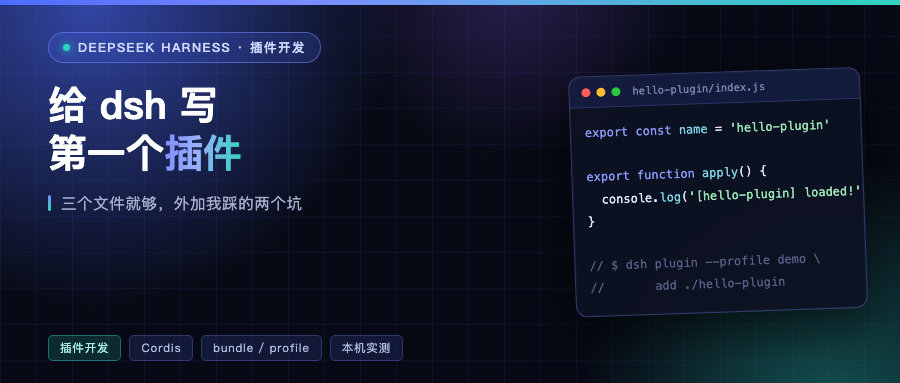
export const name = 'hello-plugin'

export function apply() {
  console.log('[hello-plugin] plugin loaded!')
}
cordis.patch.yml is the line you contribute. Note that name here is the package name, not a file path, so Node’s module resolution can find you inside the profile’s node_modules:
- insert:
    - id: hello
      name: dsh-hello-plugin
Install it, but don’t start yet
dsh plugin --profile <name> forwards its arguments to pnpm inside the profile directory, so every pnpm subcommand works:
dsh plugin --profile demo add ./hello-plugin
The first run also initializes the profile, with @deepseek-ai/dsh-base as the first bundle. Because your package declares dsh.bundle, dsh appends it to the profile’s bundles list.
This is where I hit pothole number one. I had cd’d into the hello-plugin directory and then ran add ./hello-plugin. dsh resolves against the current directory, so the dependency got recorded as link:/private/tmp/hello-plugin/hello-plugin, one path level too deep, and startup blew up:
Error: dsh: cannot resolve profile bundle "hello-plugin" from the dsh installation or /tmp/dsh-home-test/profiles/demo
Running dsh plugin --profile demo add ./hello-plugin from the parent directory fixed it. The tutorial’s line about installing in the directory containing hello-plugin means the parent.
Confirm the layer actually landed
You can see how the config stacks without starting anything:
dsh --profile demo --dump-config
The layer markers in my output were just two, and the second was mine:
# == @deepseek-ai/dsh-base
# == dsh-hello-plugin
Then actually start it:
dsh --profile demo
[hello-plugin] plugin loaded! showed up on screen. From creating the directory to seeing that line: three commands. Install, check the layers, start.
One detail worth noting: my environment had all_proxy=socks5://... set when I started, and dsh came back with all_proxy names a SOCKS proxy, which is not supported, then went direct on its own. That message is generous, but if you’re relying on a proxy to install GitHub dependencies it won’t save you. That part is pnpm’s job.
Layer order, and the one rule that costs people the most
The effective config composes over an empty root in four layers, each later layer overriding earlier ones line by line:
- the patch of each bundle in the profile’s
dsh.profile.bundleslist, in list order - the profile’s own
cordis.patch.yml - the home-level
$DSH_HOME/cordis.patch.yml, shared by all profiles - each
--patch <path>overlay on the command line, in argv order
One rule deserves pulling out on its own: a patch replaces the target line’s entire config value rather than deep-merging keys. So when your patch overrides a line from an earlier layer, you have to restate every key that line needs. Writing just the one you changed wipes the others.
The good news in the other direction: users can override your line in their own profile’s cordis.patch.yml without touching your package. So make defaults the kind users will most likely keep.
Let the plugin take config
Config doesn’t come from the command line. You export a Config type plus a Schemastery schema of the same name, with defaults written into the schema:
export const Config: Schema<Config> = Schema.object({
  greeting: Schema.string().default('Hello'),
  maxRetries: Schema.number().default(3),
})
On load, Cordis validates the config against the schema and fills in defaults. Invalid config fails the load, with a clear error.
The convention here is house style: any parameter that could take a different value in a different deployment must be a config field. The test is one sentence — can you change it in cordis.yml without touching code. Changing config also triggers hot replacement of the plugin, and the old instance’s registrations get cleaned up automatically, because registrations are effects.
From printing a line to doing real work
Printing a line only proves the chain is connected. The three useful categories are: adding tools for the model, adding cards to the UI, and adding capability to the host.
Adding a tool for the model is a dozen lines in the official tutorial. The key is an inject declaration saying you depend on the tool registry, then registering a defineTool:
export const inject = ['tools']

export function apply(ctx: Context) {
  ctx.tools.register(defineTool({
    name: 'greet',
    description: 'Greet someone by name.',
    parameters: { name: { type: 'string', required: true } },
    async execute(args) { return `Hello, ${args.name}!` }
  }))
}
Those three new plugins show heavier approaches. crypto-ticker is a pure front-end card, zero dependencies and no API key, with data sources falling back in order across OKX, Binance and CoinGecko. busy-workspace splits into host and client halves: the host holds a single settings record and exposes its own JSON route, and the client reads it once on mount, falling back to defaults if that fails — meaning a composition with only the client still works. router-laya goes further: besides a 40-something KB index.js, it ships a Python service directory containing a locally fine-tuned ModernBERT classifier whose job is deciding which thinking level to use.
Those three shapes make one thing clear. The hooks a plugin can attach to are not limited to “give the model a tool”. Front-end cards, host routes, even a sidecar service are all in range.
Two failure behaviors I measured
The official Cordis tutorial says a failed plugin load reports a clear error rather than silently skipping the config entry. For “module cannot be resolved” (a typo’d path or package name) it adds an exception: that case is only reported through the logger and does not crash the process.
I tried that twice and got something different from the docs.
Make apply throw, and the process does crash, and crashes clearly, naming the plugin entry on the first line:
Error: dsh: plugin tree failed to load: failed to apply loader entry hello (dsh-hello-plugin): apply exploded
Change the package name in the patch to dsh-hello-pluginX and the process exits the same way, code 1:
Error: dsh: plugin tree failed to load: failed to import loader entry hello (dsh-hello-pluginX): Cannot find package 'dsh-hello-pluginX' imported from /tmp/dsh-home-test/profiles/demo/
So at least on dsh’s startup path, a wrong package name is fatal, not “log a line and keep going”. That’s good news for plugin authors: a typo blows up in your face immediately. The doc’s exception describes Cordis’s general behavior, and the gap between the two is worth noting. When a config entry seems to do nothing, first work out which kind of failure you’re looking at.
Shipping it to other people
The docs give three ways for others to install your plugin, at quite different costs.
Publishing to npm is the least work — dsh plugin add your-package installs the compiled artifact. Handing over a tarball is next: pnpm pack, then have the user install the .tgz.
Installing straight from GitHub is the most convenient and the most likely to break. A git install pulls source, not build output, and nothing runs your build, so a TypeScript package arrives without lib/ and fails to load. The author has to provide a self-contained prepare script in package.json, and the user has to explicitly allow pnpm to run it (since pnpm 10, build scripts of git dependencies are refused by default) by adding the package key to the profile’s pnpm-workspace.yaml. The docs put it heavily: that amounts to letting this package’s code execute on your machine at install time.
Networks in China add one more layer. pnpm resolves github: dependencies with git ls-remote, HTTPS only, ignoring the system proxy, so a direct connection often times out. crypto-ticker’s README offers a workaround that actually works: swap in the codeload tarball URL so git is never involved:
dsh plugin --profile web add https://codeload.github.com/<owner>/<repo>/tar.gz/refs/heads/main
Last
If a plugin list growing by three in one night is what got you interested, the minimum viable path is three steps: make a directory and drop in those three files, install with dsh plugin --profile <your-profile> add ./your-plugin-dir, then confirm the layer shows up with --dump-config.
My first successful run took about twenty minutes, half of it on one path.
What do you want to hang off dsh? A tool for the model, or a card in the sidebar like crypto-ticker? Tell me in the comments — maybe the next post is that.
References:
- dsh plugin development tutorial (packaging and installing): https://github.com/deepseek-ai/deepseek-harness/blob/main/docs/user/develop/basic/publish.zh.md
- Writing a tool plugin from scratch: https://github.com/deepseek-ai/deepseek-harness/blob/main/docs/user/develop/basic/tool.zh.md
- Cordis tutorial chapter one: https://github.com/deepseek-ai/deepseek-harness/blob/main/docs/cordis-tutorial/01-first-plugin.zh.md
- Plugin registry awesome-dsh-plugin: https://github.com/awesome-dsh-plugin/awesome-dsh-plugin
- dsh v0.2.0-rc.1: https://github.com/deepseek-ai/deepseek-harness/releases/tag/dsh-v0.2.0-rc.1
Verification boundary: the three plugin files, the install command, the --dump-config layer output, the startup log and both failure behaviors were all actually run on dsh 0.1.6-alpha.2 here (isolated with DSH_HOME=/tmp/dsh-home-test, the user’s running instance untouched). Official doc quotes are verbatim from the repo. The router-laya classification service details come from its plugin registry entry; I did not deploy it.