Everything is a Plugin, and now it is about where plugins come from
DeepSeek Harness keeps saying Everything is a Plugin, meaning features are all built as plugins. Version 0.2.1 moved one step further and started managing where plugins come from: rc.1 added an entry that lets users discover and install plugins from custom plugin index sources.
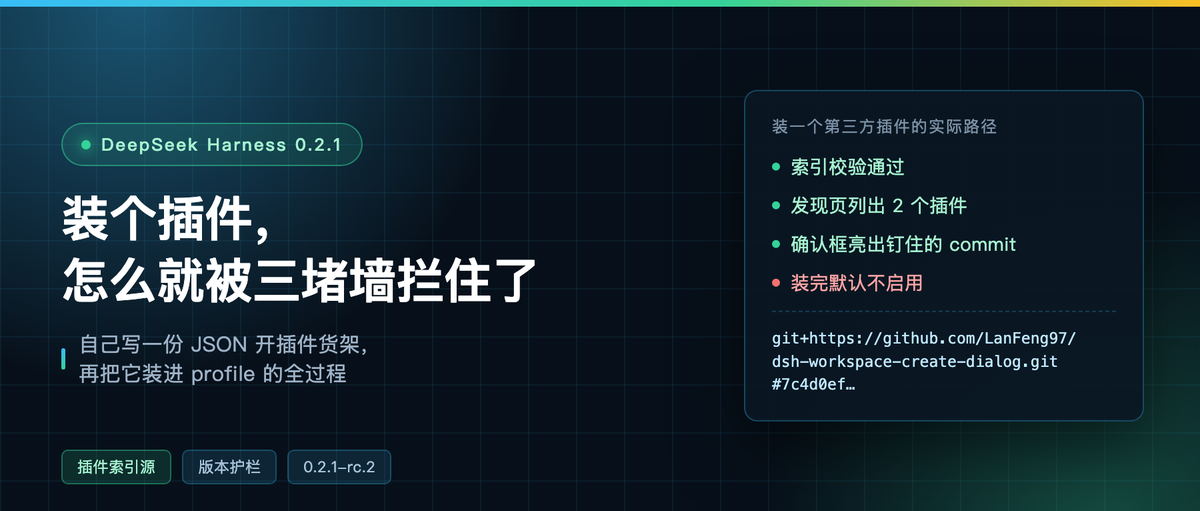
I ran that whole path end to end. First read the release notes properly, then hand-wrote an index and mounted it, then clicked Install in the real UI and installed a third-party plugin. Three walls along the way, and each one is worth writing down.
First, untangle the version numbers
Three version numbers here are easy to mix up. On npm, dsh has three dist-tags: latest is parked at 0.2.0-rc.2, next is 0.2.1-rc.2, and an alpha pointing at 0.2.1-alpha.5. My machine had 0.2.1-alpha.3 installed, sitting right in the middle.
rc.1 and rc.2 shipped the same day, three hours apart: rc.1 at 13:22 on October 17, rc.2 at 16:16.
rc.2 has only two items: support for DeepSeek-V4.1-Flash-1017, and support for the DeepSeek Search and Fetch API (enabled in web search settings). The real payload is rc.1. I counted the Chinese release notes: 102 changes.
Four of them relate to plugin distribution:
- Allow users to discover and install plugins from custom plugin index sources
- New “Let the Agent create a plugin” entry on the plugin management page; you can keep a draft and enter creation mode, and execution only starts after you send the requirement
- Support for enabling, disabling, uninstalling and dependency sync after plugin updates; with hot reload enabled the update takes effect immediately, otherwise it prompts for a restart
- Version compatibility for third-party plugins is judged by engines.dsh first, falling back to the old rules when it is not declared
The last one looks unremarkable. It is the star of this round of pain.

What an index source actually is
The docs split this capability into three pieces: a Host service that reads indexes, an index format spec, and a discovery page in the web client. The optional meta-package mounts it as a single row, plugin-market.
The service has very few config options, and the defaults are all documented in the schema and README:
| Config | Default | Meaning |
|---|---|---|
| indexes | empty array | List of index URLs, in display order |
| fetchTimeoutMs | 15000 | Per-fetch limit, including the response body |
| maxBytes | 134217728 | Index response size cap, 128 MiB |
| cacheTtlMs | 600000 | Cache lifetime after a successful read, 10 minutes |
One detail deserves its own paragraph: with no index sources configured, the Host sends zero market requests. In other words this feature is completely silent until you add an address yourself. It does not quietly phone some server.
The index itself is JSON, with the format version pinned in a field (format: 1). The top level has a title, description, metadata (categories, tags, sort keys) and a plugin list; each plugin has a name, title, description, author, repository, and a list of versions; each version states the version number, publish time, source and compatibility range.
Sources come in two kinds. The npm type is a package name plus an optional custom registry. The git type requires a full url, a commit, and an optional subdirectory. The install expression is computed by an official function, and a git version gets pinned to that commit, in the form git+https://github.com/…/repo.git#7c4d0ef….
I hand-wrote one in that format with two real third-party plugins, then validated it with the validator in the package. First attempt, rejected outright:
must be an integer number of Unix seconds in [0, 10^11)
publishTimestamp wants Unix seconds. I had filled in milliseconds. After fixing that, validation passed and both plugins produced install specs, the git one carrying the full commit hash.

Three walls: installing a plugin is not one command
The configuration layer looks clean. Actually installing it, I hit three things in a row.
The first wall is the version guardrail. I installed the optional meta-package the usual way, and pnpm resolved 0.2.1-alpha.4. dsh disabled that row at startup:
disabling profile plugin row “plugin-market”: Plugin @deepseek-ai/[email protected] is incompatible with dsh 0.2.1-rc.2: requirements {"@deepseek-ai/dsh-plugin-manager":“0.2.1-alpha.4”, …}
It does offer a way out: if you want to take the risk, write a version exemption with dsh plugin allow-version, or click it in the plugin manager. Nothing in the UI looks wrong. The feature is just gone. This is the most standard cause of “I installed it and nothing happened.”
The second wall is the new-release cooldown policy. Fine, install the exact version 0.2.1-rc.2. pnpm prints one line, Packages: -8, installs nothing at all, and exits 0.
Digging in, it is pnpm’s minimumReleaseAge blocking: releases that are too new have to be listed in minimumReleaseAgeExclude in pnpm-workspace.yaml before it will install them.
Running pnpm add -w directly, it added nine exclusion entries on its own before the 27 packages went in. That release note line about “when the new-release cooldown policy forces an older version, provide an explanation and an exact-version install path” describes exactly this mechanism. It just does not say it loudly on the CLI side.
The third wall is a side effect. pnpm add pruned eight packages out of the profile along the way, on the grounds that they were only in the profile’s bundles list, not in dependencies. Next startup reports:
cannot resolve profile bundle “@deepseek-ai/dsh-experimental-agent-team-web-profile” from the dsh installation or /Users/trevorwang/.dsh/profiles/web
Of the three options, only installing it back is right. And that package only exists on the 0.1.x line on npm (0.1.6-alpha.2 at the highest), so after reinstalling the 0.2.1-rc.2 runtime, the first wall bit me again: the ui-agent-team row was also disabled for version incompatibility.
The same set of guardrails bit me twice in three hours.

Walking through the real UI
With the config sorted, the rest is verified in the UI. The path is plugin page, experimental plugins, more, then flip on Custom plugin markets. It is off by default, and while it is off the plugin page only has an Installed tab.
Turn it on and Discover appears, with a very direct empty state:
No plugin markets yet Add a plugin market index to browse and install its plugins here.
Click Add index source and the dialog gives you one explanation plus one warning:
A plugin market is published as the URL of one index file. Discover browses the indexes listed here.
Indexes come from third parties. Add only sources you trust: their plugins run with your permissions once installed.
I entered my own local address. The first fetch failed with connect ECONNREFUSED, because I had accidentally killed the local static server. After clicking Retry it worked, and the list showed the index name I wrote, with category filters All, Guard, Workspace — all of them declared in my metadata. The two plugins each carried Chinese UI and Experimental tags, with version, author and date on the line below.
Click Install and the confirmation dialog looks like this: plugin name, version 0.1.3, author LanFeng97, repository address, and Commit 7c4d0ef….
The commit pinned in the index appears verbatim in the dialog, along with the line “Plugins run on this machine with your permissions”. After install, the dialog echoes the git address and commit, and the button changes from Install to Enable now.
Afterwards the profile dependencies have one more entry:
dsh-workspace-create-dialog: github:LanFeng97/dsh-workspace-create-dialog#7c4d0ef91a0ad9d49efa71ec5a637a53e6d87b2f
The UI also did something I did not expect: it wrote the index source into the profile’s own patch layer, not into some hidden database.
- id: plugin-market
  name: "@deepseek-ai/dsh-plugin-market"
  config:
    indexes:
      - http://127.0.0.1:3489/index.json
Which means that address can be seen by others, committed to version control, and moved along with the profile.
One boundary to add: after clicking Enable now, dump-config still has no row for this plugin. It takes a process restart to take effect. I did not verify past that point.
What this index is good for
First, the honest word from the docs. The meta-package docs say it plainly: there is no official plugin marketplace yet, and the discovery page only lists index sources you added yourself. In other words, the value right now is not browsing a store. It is being able to open your own shelf.
For private plugin distribution that is enough. A few internal plugins, one JSON file, dropped on an internal HTTP server, and every machine that adds the same address can see and install them. Installation pins to a specific commit instead of always pulling the latest.
The costs deserve equal clarity. Indexes are not signed, so the names and versions in an index are only the market’s claim; what actually gets installed is decided by that package’s own manifest, which is why the dialog keeps warning you to add only trusted sources. There is no upgrade support: a plugin that reports update-available still has to be uninstalled and reinstalled. The same list is last-writer-wins, so two windows editing at once overwrite each other. And an index must be configured with its final URL; a 301 from the server is rejected.
There are measured performance numbers: an index of twenty thousand plugins builds its text index in about 0.8 seconds and uses roughly 130 MiB of heap; a 38 MiB index with a hundred thousand plugins blocks the main thread for about 190 milliseconds during deserialization. The docs themselves say larger markets will need server-side queries.
While I am here, another rc.1 item. I found the original strings for “Let the Agent create a plugin” in the installed client bundle: createPlugin is “Let the Agent create a plugin,” described as “Enter creation mode and build a DSH plugin of your own.”
There are three more status strings: checking whether creation mode is available, currently unavailable so reopen the menu and retry, and the current configuration does not provide creation mode. Creation mode’s own description is “Customize DSH through conversation: let the Agent write plugins, add new features or UI.”
The shelf is built, and the tool for making the goods is included. The remaining question is whether you want an agent writing plugins into your profile.
Do you have internal plugins that need distributing this way? Tell me in the comments.