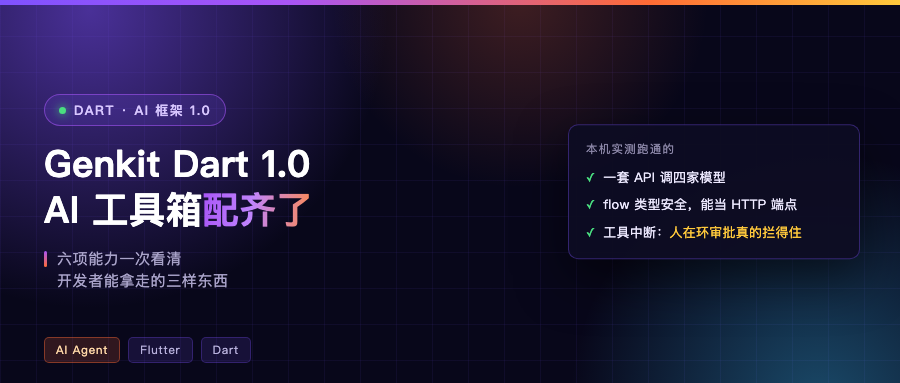
Starting point: Dart never had a decent AI framework
Adding AI to Flutter used to mean two roads: stuff the model key into the app and call it directly, or hand-assemble requests with http. The first is handing over the keys; the second has you hand-crafting a shoddy framework by day three, patching in retries, streaming, tool calls and structured output one at a time.
On October 8, Genkit Dart shipped 1.0:
Today, we’re announcing Genkit Dart 1.0, the first stable, production-ready release of Google’s open-source framework for building AI-powered features and agents in Dart.
This post isn’t chasing the news cycle. It answers two questions: what 1.0 actually did, and what Dart developers can take away from it.
One API, four model providers
Gemini, Claude, OpenAI, and every OpenAI-compatible service go through the same interface. Providers register as plugins, so swapping models doesn’t touch business code:
final ai = Genkit(plugins: [googleAI(), anthropic()]);

final fromGemini = await ai.generate(
  model: googleAI.gemini('gemini-flash-latest'),
  prompt: prompt,
);
final fromClaude = await ai.generate(
  model: anthropic.model('claude-sonnet-5-5'),
  prompt: prompt,
);
For developers in China, the more practical part is the “OpenAI-compatible” bit: services like DeepSeek get a first-class handle in the genkit_openai plugin. deepSeek.model('deepseek-flash') is the entire config — no assembling a baseUrl by hand and pretending to be OpenAI.
flow: typed AI functions that can also be your server
Google defines a flow as strongly typed, observable functions. My read: wrap AI logic into a function whose input and output both have types.
Types are written once in Dart with schemantic:
@Schema()
abstract class $RecipeRequest {
  String get dish;
  int get servings;
}
The server uses it to constrain model output, and Flutter uses the same type to parse the result. The hand-written jsonDecode plus as Map layer in between can be deleted wholesale:
final recipeFlow = ai.defineFlow(
  name: 'recipeFlow',
  inputSchema: RecipeRequest.$schema,
  outputSchema: Recipe.$schema,
  fn: (RecipeRequest input, _) async {
    final res = await ai.generate(
      model: deepSeek.model('deepseek-flash'),
      prompt: '给我一份 ${input.servings} 人份的「${input.dish}」的做法。',
      outputSchema: Recipe.$schema,
    );
    return res.output!;   // already a Recipe here
  },
);
A flow can also be mounted as an HTTP endpoint directly, with the client calling it through defineRemoteAction and the same schema shared:
final router = GenkitRouter()..addAction(recipeFlow);
final server = await router.serve(port: 8123);
On the wire it’s {"data": {...}} in, {"result": {...}} out. For Flutter developers that means one type serves as both the interface doc and the parser.
Three placements, you decide where the key lives
This is the most substantive thing in 1.0, I think. Google states outright that AI logic can live in three places:
- Directly in Flutter, good for prototypes and bring-your-own-key scenarios
- On a Dart server, keeping sensitive prompts on the backend, with Flutter calling through
defineRemoteAction - AI logic stays in Flutter, model requests go through a lightweight Genkit backend that protects the key and handles auth
The line from the announcement is worth copying down: never embed private API keys in a published client app. We used to embed keys in clients because reality forced us to. Now there’s a legitimate way out.
Tools, interrupts, middleware
Tools let the model call your Dart functions. For actions that genuinely need a human nod, a tool can return .interrupt(...), suspending the generation loop until the client confirms:
fn: (input, ctx) async {
  if (ctx.resumed == null) {
    return .interrupt({'hotel': input.hotelName, 'total': input.totalPrice});
  }
  return .response(confirmation.id);
},
The approval lives inside the tool, so the model can’t route around it. Google’s words: Putting the approval check inside the tool guarantees that the model can't bypass it. That is far more reliable than prompt engineering to keep the model in line.
On middleware, automatic retries, dynamically loading skills from SKILL.md, tool approval allowlists — all one line of use: [...] on generate. To write your own cross-cutting logic, defineGenerateMiddleware leaves the door open.
Prompts and production observability
Dotprompt keeps templates, model config and input/output schemas in .prompt files, auto-loads from the prompts/ directory, and you call it like a function in Dart:
final introPrompt = await ai.prompt('destinationIntro');
final response = await introPrompt({'destination': 'Kyoto'});
Once you’re live, genkit_otel exports traces, token usage and latency per OpenTelemetry’s GenAI semantic conventions, plugging straight into whatever observability backend you already run.
Two still in the experimental zone
Stateful agents and generative UI. The first is defineAgent, folding model, tools, system instructions and session state into one definition, with sessions surviving restarts via a session store. The second is genkit_a2ui: the agent stops emitting only text and starts emitting components like date pickers, forms and confirmation cards, which Flutter renders incrementally into native widgets.
Both import from package:genkit/experimental.dart. Try them early without carrying the stable-release baggage.
What developers actually take away
First, four kinds of glue you no longer write: multi-vendor adaptation, structured output parsing, streaming, and tool calls with retries. All four used to be rewritten for every model you onboarded. Now they’re in the framework, and the code goes from “rewrite it every time” to “it’s there when you plug in”.
Second, two things moved to the right place. The key moved from the client back to the server — that’s the security account. The schema moved from docs into code — that’s the interface contract. Anyone who’s done this once knows what those two save you is months of manual work later.
Third, adoption can be incremental. Start by using it as “a library that can call models”, add flows when you need them, and only then think about agents. Nothing demands you swap your architecture in one go.
I ran all four scenarios on my machine, all hitting a real model (DeepSeek), not paper reasoning:
[flow]   typed output → 番茄炒蛋(2 人份)| 6 steps / 15 min / 1812ms
[tool]   finishReason=interrupted → stop after restart
[client] remote response → 葱油拌面(1人份) | 5 steps | 2686ms
curl  →  {"data":{...}} in, {"result":{...}} out

Two hurdles before you start
Now the down side. 1.0 has an invisible threshold: it requires Dart SDK 3.12 or above. My machine had 3.11.1, so dart pub add genkit quietly installed 0.16.1 for me — no error, no warning. After you upgrade the SDK there’s a second one: the code generator was split into a separate schemantic_builder in 1.0, and if you miss it build_runner prints wrote 0 outputs — again, zero errors.
Two self-check commands, take them:
dart pub deps --style=compact | grep "^- genkit"   # see the version you actually got
ls lib/*.g.dart                                    # check whether codegen really hit disk
What I haven’t verified
Being honest: the Dev UI (genkit start, needs genkit-cli from npm), middleware, how Dotprompt actually behaves at runtime, genkit_otel exports, and the two experimental ones — I didn’t run any of those locally this round. What’s written above is the official documentation’s account.
Worth mentioning: the official example is already in your local cache, at ~/.pub-cache/hosted/pub.dev/genkit-1.0.0/example/http_server_example.dart. Streaming, auth and custom routing are all in there. Read it before you start and you save half a day.
If your Dart project were getting its first piece of AI logic, would you put it in the app or on the server? Comments welcome.