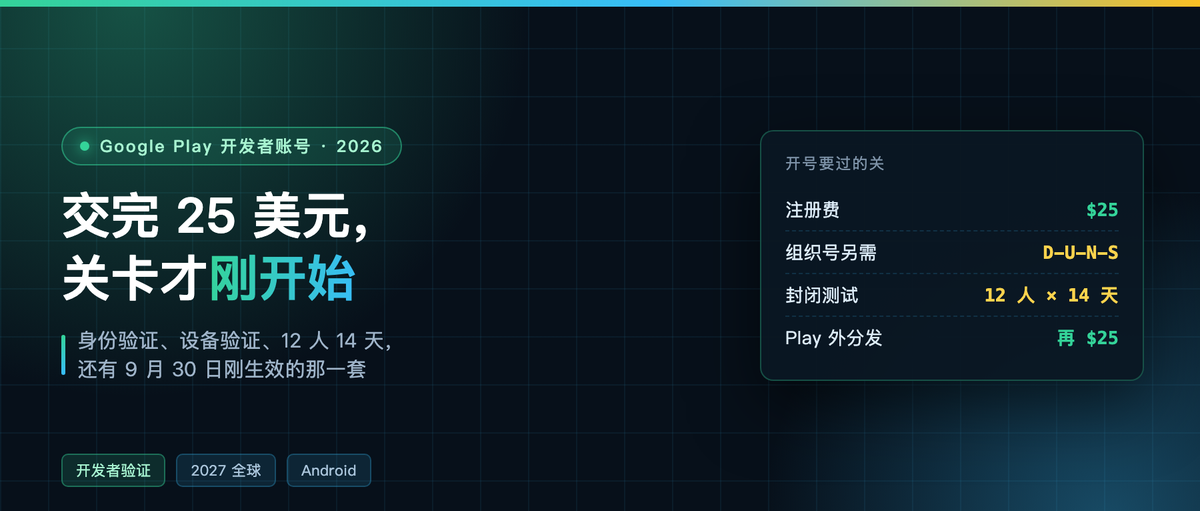
Twenty-five dollars only buys the ticket
Chinese tutorials on Play developer accounts mostly stopped updating two years ago: $25, a credit card, an address, wait a day. That is no longer enough.
The help center now says: 18 or older, accept the developer distribution agreement, pay $25 by credit or debit card, cards limited to MasterCard, Visa, American Express, Discover (US only) and Visa Electron (outside the US), and prepaid cards are explicitly not accepted.
Paying the money only gets you through the door. After that comes identity verification, device verification, a closed test with twelve people over fourteen days, and the new rules that took effect September 30.

Personal or organization: pick the right one first
Play has exactly two kinds of developer accounts: personal and organization. Same features, both can monetize, both can add collaborators.
The difference is paperwork. An organization account must supply a Dun & Bradstreet number, D-U-N-S, the nine-digit business identifier issued by D&B. It is free to apply for, but you wait. There is also a list: financial services, health apps, apps that use VpnService, and government apps. Those four categories must use an organization account.
A personal account registers fast. The price is that the testing requirements below aim specifically at personal accounts.
Identity verification: the ID and the card have to be the same person
The official wording: to process the registration application, they may ask for a valid government-issued photo ID and credit card information, and the holder of both must be you. If they check and the information turns out invalid, the registration fee is not refunded.
This one gets ignored a lot in China. Paying with someone else’s card, or padding the file with a relative’s ID, both count as inconsistent information. $25 is not a lot, but you do not get it back.
Device verification: one minute, but you need a real phone
Since early 2024, a new personal account has to prove it has a real Android device before publishing anything. The method: scan a QR code with the Play Console mobile app, sign in to the same Google account, pick the developer account, tap verify.
The bar is a physical device on Android 10 or higher, not rooted. Emulators do not count, rooted devices do not count. Google says this should take under a minute, one device can verify multiple accounts, and the process does not collect the device’s phone number.
Twelve people, fourteen days
This is the one outdated tutorials get wrong most often. Plenty of articles still say find twenty testers and test for fourteen straight days. The official page now says: at least 12 testers who opted in to continuous participation in a closed test for at least the past 14 days.
The number changed and Chinese tutorials largely did not keep up. Per the current official wording, it is 12.
The rule only applies to personal accounts created after November 13, 2023. Once you satisfy it you can apply for production release access in the dashboard, and the application asks about app design, your testing process, and launch readiness.
From September 30, verification reaches past Play
This part is the genuinely new thing. Android developer verification enters the enforcement phase on September 30, 2026, starting with four countries — Brazil, Indonesia, Singapore and Thailand — covering distribution across seven stores: Google Play, HONOR App Market, OPPO Software Store, Samsung Galaxy Store, Transsion Palm Store, vivo App Store, Xiaomi GetApps.
In other words, from now on installing an app on a certified device raises a question: who signed this package. The official timeline is worldwide rollout in 2027.

It splits developers onto three paths, and identity verification, fees and where you can distribute all differ.

Three key details.
Full distribution requires opening a separate account in the Android Developer Console, also $25, which is a different payment from the Play one. Limited distribution is free and needs no ID documents, but covers only 20 devices, and users have to accept an invitation before they can install. On the unverified sideload path, users can let themselves through via an advanced flow, which the official writeup describes as a buffer that buys users time and room.
One more detail matters most to people who write code. The official FAQ is blunt: installing an app over ADB requires no registration and no verification. Development, debugging, flashing your own test builds — that channel is not closed. Apps on enterprise-managed devices also skip verification; the IT admin has already reviewed them.
What registering a package name needs, you can prep locally
The third step of the new verification system is registering the package name. Google requires an APK signed with your private key, to prove the package is yours. You do not have to wait for the account to be approved for this — you can rehearse it locally.
keytool -genkeypair -v -keystore demo.jks -storetype PKCS12 \
  -alias upload -keyalg RSA -keysize 4096 -validity 10000 \
  -dname "CN=Demo Dev, O=Demo, C=CN"

keytool -list -v -keystore demo.jks | grep SHA256
What comes out is a SHA-256 string. Mine generated 52:05:B5:73:…, with another thirty bytes behind it. That fingerprint is what gets checked against package ownership from here on. Lose the private key and it never matches again. So from day one, treat the keystore file and its backup as the same object.
The math cross-platform developers have to do
If you are shipping Android from one codebase with Kotlin Multiplatform or Flutter, the accounting splits here. $25 to publish on Play, another $25 to distribute outside Play through the Android Developer Console, and both accounts need identity verification.
Where you save is elsewhere: device verification and the twelve-people-fourteen-days test are tied only to a personal account’s production release access. Organization accounts do not carry that.
The actually convenient move is to keep publishing through Play as usual, and register the package name and signing key in the Android Developer Console at the same time. Then no matter which store a user downloads from later, or whether they install straight from your site, the install does not get blocked.
$25 buys a ticket. The gates behind the ticket are where this year’s time actually goes. Which step did you get stuck on when you opened your account? Comments are open.