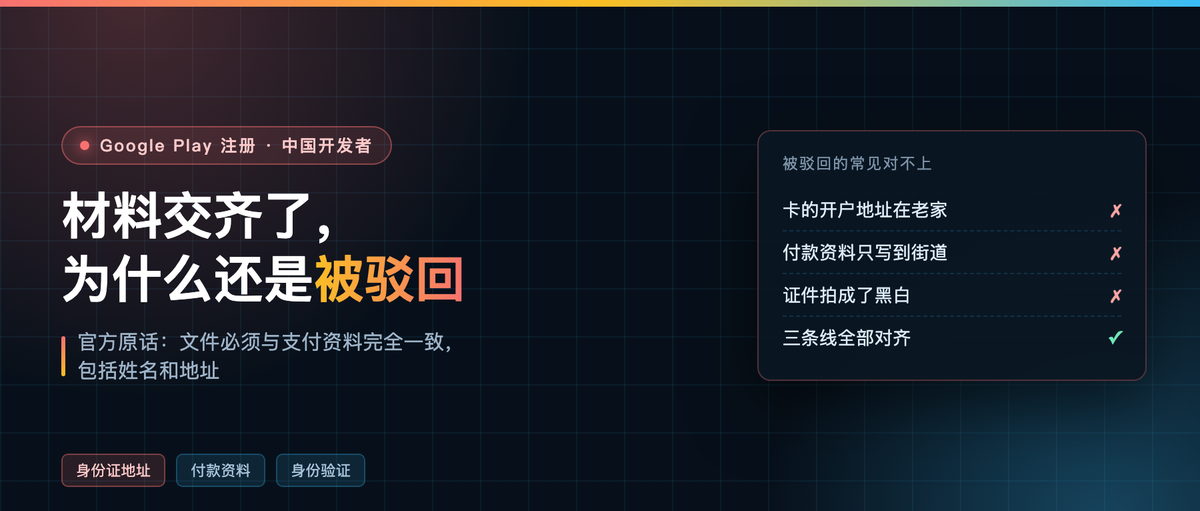
The most common rejection is not missing paperwork
Someone asked me again last week what to do about a rejected Play developer account. Going through his materials: ID photographed, card linked, the $25 charged successfully. The problem was the address — his card’s billing address was the office, the address on his ID was his hometown.
There are plenty of Chinese tutorials on the registration flow. Almost none cover address alignment, even though Google puts this front and center in its help center.
In Google’s own words
All documents you submit must match the information in your payments profile exactly, including: personal identity details, organization name (for organization accounts), and address. If you find any discrepancy between your document and your payments profile, you can update the payments profile while the verification task is in progress.
Right after that comes a line about why it fails:
Submitting unsupported documents is the leading cause of developer verification failure, and providing altered or forged documents can result in immediate removal of your account and apps.
Those two sentences lay the rule out completely: verification is not about whether you have documents, it is about whether what you submit matches what you entered. If it does not match, complete paperwork is still wrong.

The address is not the one you typed on the signup page
A lot of people think the address is just a field you fill in on the signup form. It is not.
Play’s legal name and legal address come from the Google payments profile attached to your account. In other words, the address you store in Google Payments is what actually gets compared against your ID. The country and region shown publicly on your Play page are derived from that same legal address.
So the order is obvious: get the payments profile right first, then open the developer account. Doing it the other way plants a mine under your own review.
Three lines that have to line up
The first is the name. If the name on your ID is in Chinese, write it in Chinese in the payments profile too. If the system only takes Latin characters, pick one transliteration rule and stick to it. Do not write 张伟 in one place and Zhang Wei in another, and definitely do not spell it out in one place and abbreviate it in another.
The second is the address. Province, city, district, street, building number — go as deep as the ID goes, and match the wording character for character. If the ID says XX District, XX Road, No. 128, Building 3, Unit 502 and your payments profile says XX Road, that counts as a mismatch.
The third is the photo of the document. The four official requirements are specific: valid and unexpired, color not black and white, legible with balanced exposure, and not a photocopy. Fail any one and it counts as an unsupported document.
One item that is not in the official text but comes up constantly in practice: the billing address on the card you link should ideally be the same address. No official basis for this one, just experience. Take it as a pointer.
Six steps for registering entirely in Chinese
Step one: make a clean Google account. Do not reuse an account that already registered another developer account, and do not use a bought one. Identity verification later checks the person.
Step two: go into Google Payments and create a payments profile, set country/region to China, and enter the legal name and address exactly as they appear on your ID. The address you enter here is what every later verification checks against.
Step three: register the developer account in the Play Console with that account and pay $25. Cards are limited to MasterCard, Visa, American Express, Discover (US only) and Visa Electron (outside the US). Prepaid cards are not accepted.
Step four: choose the account type. Personal account, pick individual. Do not force organization just because it looks more official — organization accounts need a D-U-N-S number and company documents, and one missing item stalls you.
Step five: identity verification, submit a government-issued photo ID. For a personal account that is the only document.
Step six: device verification. Take a real phone on Android 10 or later, not rooted, install the Play Console app, scan the QR code. One minute.

You cannot skip around. Phone verification comes after these; until identity verification is done, the phone verification entry point does not even open.
Organization accounts need two more documents, with the same address alignment
An organization account needs the representative’s ID plus the organization’s registration document (a business license, typically) and a D-U-N-S number. The organization name and address on all three must match the payments profile character for character.
D-U-N-S is free to apply for on D&B’s own site, and Google specifically warns that third parties charge steep handling fees. Do not fall for it. Approval can take up to 30 days, so if you are going the organization route, start a month ahead.
Run your own check before you submit
Two of the four official photo requirements can be checked locally: whether it is color, and whether the resolution is enough. macOS ships with sips, nothing to install.
sips -g pixelWidth -g pixelHeight -g space your-id.jpg
Look at the space line. RGB means color, Gray means black and white, and a black and white image will be rejected. If the short edge is under 1000 pixels, reshoot. Compressed WeChat images are often only a few hundred pixels.
I wrapped these checks in a small script. Here it is run against two sample images:
id-color.png        1600×1000  space=RGB   ✓ pass
id-gray-small.png   640×400    space=Gray  ✗ short edge only 400px  ✗ color space is Gray

What if you already got rejected
You do not need to re-register. Google says you can update the payments profile while the verification task is in progress, change the address to match your ID, and submit again.
What is genuinely hopeless is forgery. An ID with the address edited in Photoshop, a borrowed ID, a bought business license — if they catch it, the account and apps are removed and the $25 is not refunded.
The address thing is tiny — one line of text. It is also huge, because it decides whether every verification after it passes. Did the address trip you up when you registered? Tell me in the comments.