Before you register, work out how you lost the last one
The day my account got banned, my first reaction was the same as yours: register another one.
But after going through the official docs I realized reopening is not a process problem at all. It splits into two cases, and the outcomes are very different.
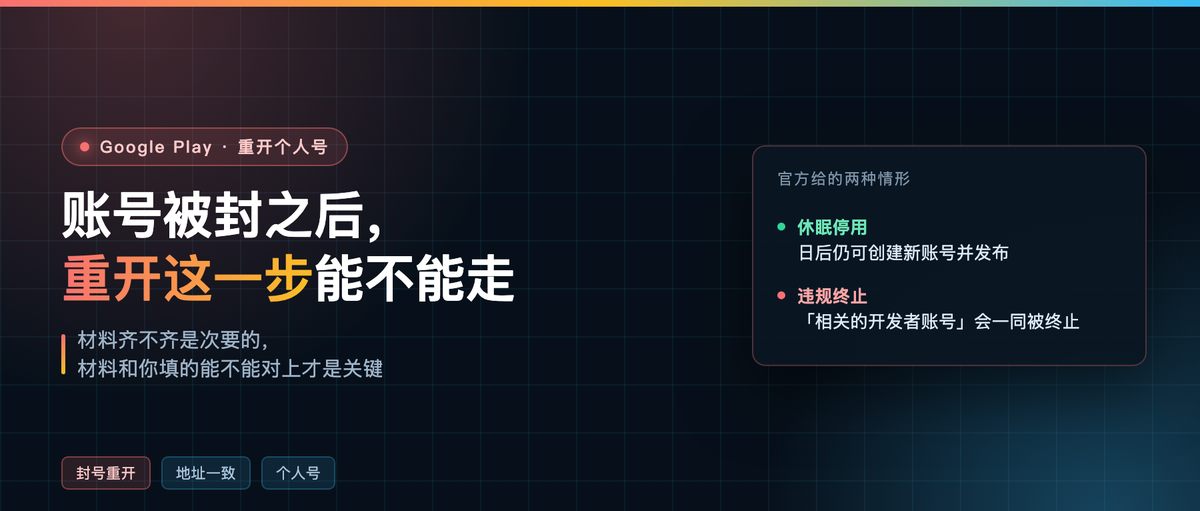
The first is dormancy. If an account goes a long time without publishing updates, checking stats or managing store listings, Google deactivates it. The help center says: after a dormant account is deactivated, you can still create a new account and publish on Google Play later. For that kind of account, reopening is routine.
The second is termination for violation. The same article says: if you repeatedly or seriously violate these policies or the developer distribution agreement, your developer account or related Google Play developer accounts may be terminated.
Pay attention to the words “related”. Another page puts it more bluntly: multiple warnings may lead to termination of the individual account and related Google Play developer accounts.
So the real question is not “how do I reopen”. It’s “will the new one survive”.

Why I still picked a personal account
When you reopen, the account type step matters more than it did the first time.
An organization account needs a D-U-N-S number, organization registration documents, and the authorized representative’s ID, and all three have to line up with each other. A D-U-N-S application can take up to 30 days. The account is already gone; waiting another month is too slow.
A personal account needs one government-issued photo ID. Fewer documents, fewer places to get it wrong.
But don’t pick it just to save effort. There’s an official list: financial products and services, health apps, apps using VpnService, and government apps. Those four categories must use an organization account. If your app touches any one of them, a personal account won’t show the problem up front, but review will kick it back later anyway.
The six steps to reopen
Order matters here, especially step two. Step one is getting the Google account ready. Use a clean one, not an account that already registered another developer account, and don’t buy one.
Step two: go to Google Payments first and create a payments profile. Country/region China, legal name and address exactly as printed on your ID. You can’t skip this and can’t bolt it on later.
Step three: register a developer account in Play Console with that account and pay $25. Cards accepted are MasterCard, Visa, American Express, Discover (US only) and Visa Electron (outside the US). Prepaid cards are not accepted.
Step four: choose a personal account.
Step five: identity verification, submitting a government-issued photo ID.
Step six: device verification. Find a real Android 10+ phone that isn’t rooted, install the Play Console mobile app, scan the QR code. The docs say this takes a minute.

Why can’t you skip ahead? Phone verification comes after identity and device verification. Finish the earlier steps or the phone verification entry point never opens for you.
After approval, the home page looks like this
The day verification passed I got into Console and the first look is a letdown: 0 apps in production, 0 apps with policy tasks, 0 apps with publishing submissions. Three cards, all zeros.
That’s correct. Passing only means you can create apps now. It doesn’t mean an app can ship. The real starting point is that “Create app” button in the top right.
Two things on this page are worth noting. In the row of buttons at the top there’s “Policy status”, and account reputation problems show up there first. In the list below, anything tagged Draft is an app you created but haven’t submitted for review. That green banner in the middle is just a Play redesign notice and has nothing to do with your account status.

The address section ate most of my time
Last time I filled the address in without thinking. Not this time.
The docs say this on the required documents by country page, and I copied it down:
All documents you submit must match the information in your payments profile exactly, including personal identity details, organization name (for organization accounts), and address information. If you find any discrepancy between your documents and your payments profile, you can update the payments profile information during the verification task.
That sentence explains why most people get rejected. Verification is not checking whether your documents are complete. It’s checking whether they match what you typed in yourself.
Three lines have to match character for character.
Name: if the ID is in Chinese, write it in Chinese. Don’t write “张伟” in one place and “Zhang Wei” in another.
Address: the address in the payments profile is the legal address, and the country/region Play displays publicly is based on it. If the ID says “3号楼502, XX路128号, XX区” and you only wrote “XX路”, that counts as a mismatch. Province, city, district, street, building, unit — write down as many levels as you can.
Documents: four hard requirements. Valid and unexpired, color not black and white, clearly legible with reasonable exposure, and not a photocopy.

If you’ve already been rejected you don’t have to register again. The second half of that same sentence says you can update the payments profile during the verification task, fix the address to match the ID, and submit again.
How to keep the new account from getting dragged down
This is the part I most wanted to get right, because there’s no trick to it. Only facts.
When Google says “related developer accounts may be terminated”, it means Google looks at whether a set of things are the same: the same person, the same payment card, the same device, the same batch of package names, the same payout account.
Open a new account and carry all those traces over unchanged, and you’ve raised your hand to say “still me”.
What actually reduces risk is the reason the original account was banned being not that serious, or the appeal already settled. For serious violations like malware or fraud, ten new accounts won’t help. Reopening in that situation means the $25 is gone and the account gets banned again.
Put bluntly, that phrase “related developer accounts” exists specifically to close this door.
Before you submit, check the files locally
Two of the four photo requirements can be checked right on a Mac: is it color, and is the resolution high enough. The built-in sips tool does it, nothing to install.
sips -g pixelWidth -g pixelHeight -g space your-id.jpg
Look at the space line. RGB means color. Gray means black and white, and a black and white image will always be rejected. If the short edge is under 1000 pixels, retake it: images passed through WeChat often end up only a few hundred pixels.
I wrote a small script to chain both checks, and the output looks like this:
id-color.png        1600×1000  space=RGB   ✓ pass
id-gray-small.png   640×400    space=Gray  ✗ short edge 400px  ✗ grayscale
One last honest word
With reopening, the documents and the process are secondary. What comes first is always why the last account died.
Dormancy deactivation: just walk the six steps above. Termination for serious violation: don’t count on a new account turning the page. Fix the problem first, then talk about registering.
Have you reopened one? Which step did you get stuck on? Comments welcome.