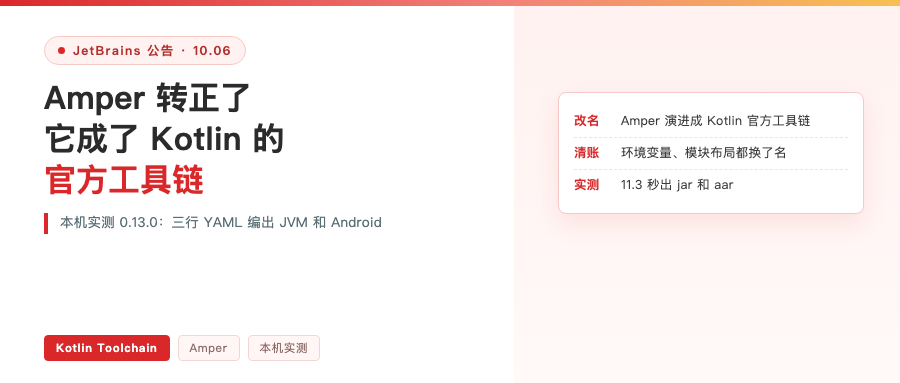
First, this week’s easily-missed announcement
On October 6, JetBrains’ Amper blog published its final post, titled Amper Is Now the Kotlin Toolchain. The name carries a line underneath, Moving to the Kotlin Blog, and it means what it says: that blog stops updating as of that day and merges into the Kotlin blog.
What got renamed is not the blog. It is Amper itself. It is now called Kotlin Toolchain, and it is the official Kotlin toolchain.
News like this is easy to scroll past as another rename to dress up the quarter. But I went through the code and docs, and this one is different: they are scrubbing the word Amper out of the codebase, layer by layer.
How thoroughly? The 0.13 release notes make it clear. Two of the breaking changes: the environment variable AMPER_BUILD_DIR becomes KOTLIN_TOOLCHAIN_BUILD_DIR, and the module layout entry named amper becomes default.
When a name gets scrubbed all the way from config files down to environment variables, it is not a marketing move.
Three moves in three months
I put the timeline in order:

The repo moved in May, the promotion was announced in June, and the name was scrubbed out of the code in October. You can see the first two in the news. The third only shows up if you open the 0.13 release notes.
One line from the June post stuck with me, explaining why the name changed:
As the project evolved, it became clear that the ecosystem doesn't just need
another build tool – it needs a unified entry point into all of Kotlin.
Translation: as the project moved forward, one thing became clear — this ecosystem does not need another build tool, it needs a single entry point into all of Kotlin.
I installed it on this machine
Rather than trust what the docs say, look at how it actually runs. Installation uses the official script. I did not pipe it straight into a shell; I pulled it down and read it first. It does a SHA256 check, and the thing is reasonably well behaved.
curl -fsSL -o /tmp/kt-install.sh https://kotl.in/install.sh
By default it appends a PATH line to your shell config. I skipped that with its own switch so it would not touch my zshrc:
KOTLIN_CLI_NO_MODIFY_PATH=1 sh /tmp/kt-install.sh
After install:
Kotlin Toolchain version 0.13.0 (abc7a5f, 2026-10-01)
Installed Kotlin CLI to /Users/trevorwang/.local/bin/kotlin
Then create a project. It has a set of non-interactive templates; I picked the JVM command line one:
kotlin init --from-template=jvm-cli --no-git
Generated in 0.34 seconds. I expected a pile of files to read; the entire project config is one line:
product: jvm/app
Three source files: a println in main.kt, an object in World.kt, two tests in the test directory.
Build, run and test, all of it
On first build it pulled down a Temurin JDK 25 itself, and after that everything came up green. Install, create, compile, run and test in one pass looks like this:

The whole thing took 30.8 seconds, and subtracting the JDK download the rest is fast. The test section is red because the template deliberately includes an assertTrue(false) in a function named shouldFail. My guess is it wants you to see what failing output looks like, and to note that the exit code is 1.
Another command I like: kotlin show settings. It prints the effective settings for each module and marks defaults with # default:
compose:
  version: 1.12.1  # default
junit: junit-5  # default
What you wrote yourself and what it defaulted to are instantly distinguishable.
Three lines of YAML, four platforms
A single JVM target is not much to look at, so I created another from the kmp/lib template. The full module.yaml it gave me, plus the build results per platform, look like this:

Platform-specific sources do not use Groovy’s source set naming. It is a directory suffix: src@jvm, src@android, src@ios, each holding its own actual. The shared expect goes in src.
You can also build only selected platforms:
kotlin build -p jvm -p android
11.3 seconds, four green lines, output is kt-kmp-jvm.jar and kt-kmp-jvm.aar.
Here is a detail I did not expect. Poking through its download cache, I found that to compile Android it dropped a platform package into my Android SDK, with a timestamp matching this build:
~/Library/Android/sdk/platforms/android-37.0/            11:35
~/Library/Android/sdk/platforms/06259a9c8a-platform-37.0_r02.zip.flag
Add the Temurin JDK, the JUnit runner for tests, and Kotlin/Native for iOS — it pulled all of it. It is almost excessively friendly to newcomers: one install command, zero configuration, and JVM and Android compile. The cost is waiting on downloads during the first build, and it writes into your SDK directory.
The iOS leg stops at Xcode
Add iOS and see:
kotlin build -p iosArm64
Downloading .../kotlin-native-prebuilt-2.4.20-macos-aarch64.tar.gz
ERROR: Xcode first-launch setup could not be completed.
       Run `sudo xcodebuild -runFirstLaunch` and try again.
ERROR: Task 'xcodeEnvironment' failed: Xcode environment is not ready
It downloads Kotlin/Native 2.4.20 first, then stops at that step. The check is new in 0.13; the release notes describe it as Check and/or provision Xcode components automatically.
The interesting part is here: Kotlin/Native itself compiles fine on this machine. I had built an iOS arm64 framework with it directly before, output in 9.8 seconds. What the toolchain checks is whether Xcode’s components have finished first-launch installation, which sits ahead of the compiler’s own requirements, and that step needs root, so you run the sudo command yourself.
I think this behavior is good. It does not compile halfway and then dump a baffling link error on you. It stops at the prerequisite check and prints the command you need.
Two places the name has not been cleaned out
First, the distribution download URL is still the old one, with amper in it: packages.jetbrains.team/maven/p/amper/amper.
The second is funnier. One entry in the Android fix list says it used to install the Android SDK under a non-canonical name, and that name was Amper-33.
Repo, blog, command line, environment variables, module layout — cleaned all the way through, with corners still left. Details like these are more honest than a press release; they show you how many layers a rename really touches.
On the IDE side, there is a new option
That covers the CLI. The IDE side changed just as visibly.
The plugin is listed in the Marketplace as Kotlin Toolchain, version 262.10968.205. Its first line of self-description:
Provides support for Kotlin Toolchain, JetBrains' build tool for Kotlin and
Java projects.
Translation: provides support for Kotlin Toolchain, JetBrains’ build tool for Kotlin and Java projects.

Three things in the feature list I care about: running and debugging JVM, Kotlin Multiplatform and native tests; managing multi-module projects and version catalogs; and hot reload for Compose Desktop and Compose Multiplatform. There is also a note at the top of the page saying some features require an Ultimate subscription.
The really interesting part is the new project dialog. The Build system field is no longer just Gradle; there are two side by side, and the one on the right is Kotlin Toolchain.
It writes one line for each. Verbatim:
Gradle — Flexible and backed by a mature plugin ecosystem
Kotlin Toolchain — Easy to use, declarative, and AI-friendly
Translation: Gradle is flexible and backed by a mature plugin ecosystem; Kotlin Toolchain is easy to use, declarative and AI-friendly.

AI-friendly is their own word. An IDE company putting “AI-friendly” in the default copy of its new project dialog is not a surprise this year, but the placement says a lot.
The platform picker follows the same idea as the CLI templates: five checkboxes for Android, iOS, Desktop, Web and Server, and for iOS and Web you can choose whether the UI is shared with the other targets. Check Android plus iOS and the structure comes out like this:

A project.yaml at the root lists the modules: androidApp, desktopApp, iosApp, shared, webApp, core, server — seven. Each module has its own module.yaml, the same three-line thing from the CLI earlier. Versions still live in libs.versions.toml; it kept that Gradle habit, and the wrapper scripts are called kotlin and kotlin.bat.
Run configurations work as is: pick iPhone 17 | iOS 27.0 in the device dropdown and iosApp runs.
So should you switch
The official FAQ has a passage that answers why they did not just improve Gradle. Verbatim:
With the Kotlin Toolchain, we want to show you our design and get your feedback,
as it will help us to decide which direction to take the design. At the same time,
we are also working with the Gradle team to improve Gradle support in our IDEs
and Gradle itself.
Translation: we want to put the design in front of you and let feedback decide which direction it takes. At the same time, we are working with the Gradle team to improve Gradle support in our IDEs and Gradle itself.
Politely worded, and the meaning is clear: this is not replacing Gradle, it is a side-by-side showing.
Migration is interesting too. Maven projects get a convert command, kotlin tool convert-project, which handles part of it automatically. Gradle projects have no tool, and the official explanation is that Gradle scripts are arbitrary code, so no deterministic conversion rules can be written.
So what do you do? One line in the FAQ stopped me: this is the kind of thing an AI agent is good at, given a set of skills. I went and looked. The skills sit under the Kotlin org, called kotlin-agent-skills, 1,071 stars, ten skill files, two of them specifically about migrating from Gradle to Kotlin Toolchain.
The rules inside are strict: every third-party Gradle plugin has exactly three paths — drop it, replace it with a native equivalent, or rewrite it yourself. Keeping it is not an option. And the convention plugins you wrote in buildSrc do not count as plugins, they count as configuration, and they have to become module templates.
That one is worth writing down. Treat the build script as code and an AI can do the mechanical translation. Treat it as configuration and the implicit conventions become the most expensive part of the migration.
Wrapping up
Summing up this week’s move: the name Amper retires, what it leaves behind becomes the official Kotlin toolchain, and the front door is one kotlin command plus one YAML file.
New projects are worth trying — three lines of config compiling four platforms is genuinely pleasant. Leave old projects alone for now. It is still Alpha, and the team itself says not all migration scenarios are covered.
Repo and docs:
github.com/JetBrains/kotlin-toolchain
kotlin-toolchain.org
One question to close with: if you had to move your current KMP project off Gradle onto this today, which step do you think would stop you first?