
Compose Multiplatform 1.13.0-beta01 landed on October 23.
That line in the title is not a hook. This release changes a fair amount, but none of it points anywhere new. The thing that actually moves cross-platform development forward went out quietly two months earlier.
The conclusion up front: 1.13 has exactly one new feature, and the rest is fixes. That is enough on 1.13.
1.13 is basically this
Desktop ComposePanel in SwingGraphics mode can now pace frames to the display refresh rate. Off by default. Turn it on with this property.
System.setProperty("skiko.swing.frame.pacing", "true")
iOS gained UIKitInteropSafeAreaInsetsPolicy, which controls how much of the safe area an embedded UIKit component sees.
The only cross-platform change: AnnotatedString can now render Bullet annotations.
Everything else is bug fixes. Four on iOS, mostly Safari selection and focus on web, and exactly one on desktop, sluggish window resizing on Windows.
Right, that is 1.13 done.
The line worth reading is two months old
On August 25, 1.12.0 shipped. Its Highlight section has one line.
Compose Hot Reload got an MCP server, letting AI agents interact with a running Compose application in real time.
Almost nobody discussed that line. Spread the tool list out and it stops looking like a small update.
What an agent actually gets
One Gradle task, hotMcpServer, brings the service up, connects to the app, waits for startup, detects shutdown, and reconnects on its own.
An agent connecting in gets these tools.
State and reload: status reads app and reload state and hands back the last error with it. reload and await_reload trigger a hot reload and wait for it. restart and reset_ui restart the app or reset its UI.
Observation: take_screenshot captures a screenshot, optionally to a path. list_windows and resize_window inspect and resize windows. get_semantic_tree reads the semantic tree, dialogs, modal bottom sheets and popups included. get_ui_error and get_logs read the current error and the app logs.
Action: click, type_text and scroll, simulating user input directly.
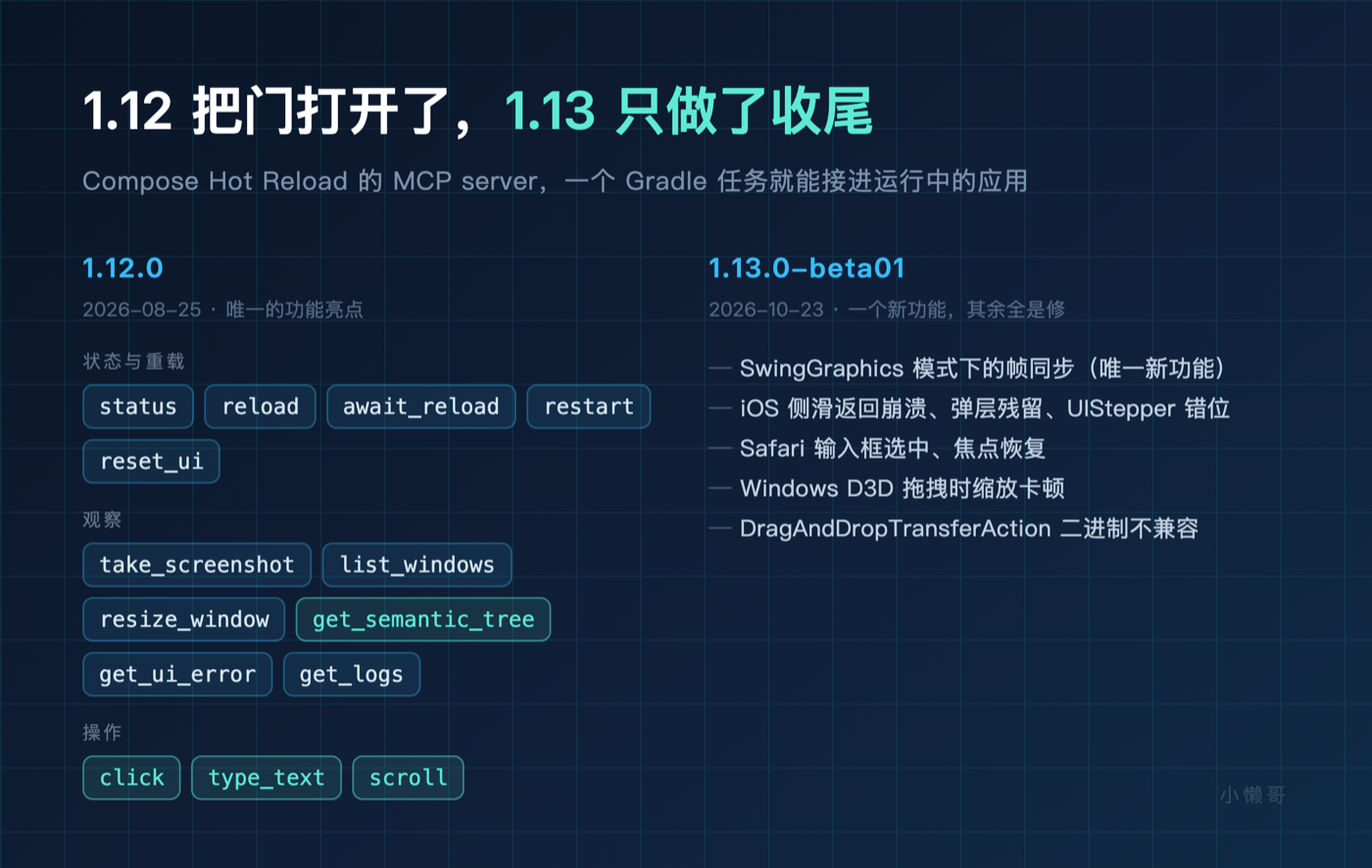
Put those three groups together and an agent has a complete loop inside Compose for the first time.
How the loop closes
Before this, an agent writing Compose code hit a wall at the UI. It could edit files and compile, but it could not see what the screen looked like, could not tap a button, and had no way to know whether the change was correct.
A human had to pick it up. That is the long stretch of waiting.
Now the cycle runs like this. The agent edits code, calls reload to trigger a hot reload, takes a screenshot, reads the semantic tree to confirm the layout has not collapsed, checks the logs to confirm nothing threw. If it is wrong, it goes around again.
No human in that loop.
An agent walking that circle by itself is the closed loop.
1.3.0-beta02 added the missing piece. Scrollable nodes now carry scrollX or scrollY, giving the current offset, the max offset, and a reversed flag when content scrolls against layout direction.
That looks like plumbing. For an agent it is decisive. Before, it knew a scrollable container existed. Now it knows where the scroll sits and whether there is more below. Without that, every screenshot it takes is the first screen.
Two different roads from Flutter
Last month the Flutter team published a piece whose core claim was that code generation stopped being the bottleneck and verification is the bottleneck now.
Their fix is structural. Hot reload at 200 milliseconds, widget tests at 500, state inspection by reading the widget tree directly, all deterministic structured data.
JetBrains did not take that road. It did not optimize the framework’s feedback speed. It opened the running app to the agent and let the agent do the verifying.
One leans on being light. The other leans on opening a door.
I lean toward the second being more general. It has nothing to do with the framework, only with the runtime being reachable by a program. That also makes the ceiling concrete. It depends on how much the MCP server exposes. A dozen tools covers simple UI. More complex interfaces will need more.
What you can do tonight
If you have a Compose desktop project, you can try this tonight.
The prerequisite is Compose Hot Reload 1.2.0 or later. Run gradlew hotMcpServer in the project, point your agent client at the endpoint, and have it change a Composable, trigger a reload, and read the semantic tree to confirm the button has not moved.
The tool list and the loop above come from the 1.12 and Hot Reload 1.3.0-beta02 release notes plus repository source. I have not run this end to end on my own machine, and I would rather say so than let you assume it is measured.
Two places I would expect to get stuck on a first attempt. The MCP server only starts in dev mode, so the client needs the right port. And get_semantic_tree over dialogs is documented very briefly, so test that on its own before wiring it into anything.
The first time you watch it close that loop without you, it feels different from watching it generate code.
So, a question for you. Have you tried letting an agent take over hot reload and verification in your projects? Or are you still changing code and clicking through it yourself?
And one more. Do you think opening the runtime to agents will move slower on web and mobile than on desktop? Desktop has a JVM to hook into directly. Mobile will need a different answer.