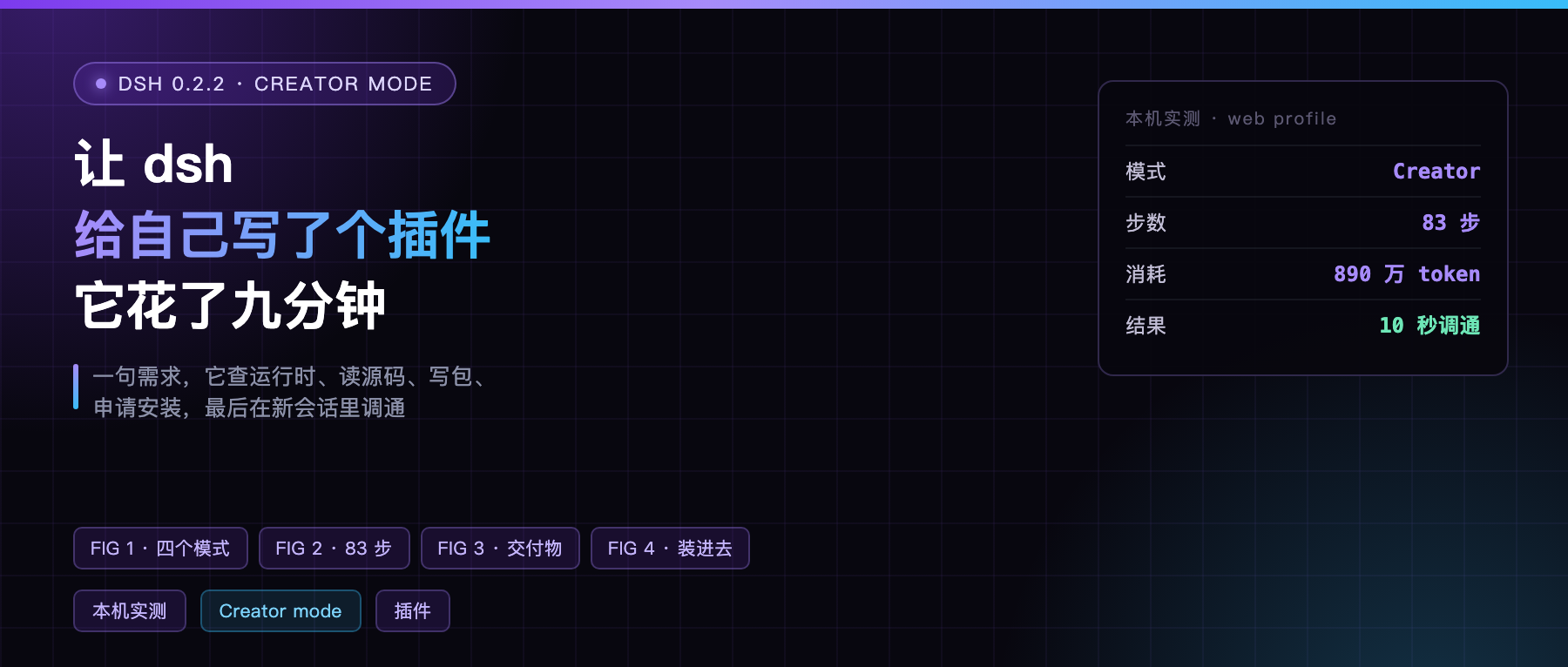
The news item going around today is that DeepSeek shipped Creator Mode, described in English coverage as something mystical where you build plugins by chatting.
I run dsh daily, on 0.2.2-alpha.2 released October 28. My first instinct was not to paraphrase it. It was to try it.
So I opened a Creator mode session in my own web profile with a one-line request: write the smallest possible plugin, register a tool called profile_ping, and have it return the current profile name, the dsh version, and which plugins are installed in that profile.
Nine minutes later the tool was sitting in the plugin manager. I opened a new session, called it, and had the answer in ten seconds.
dsh has four modes
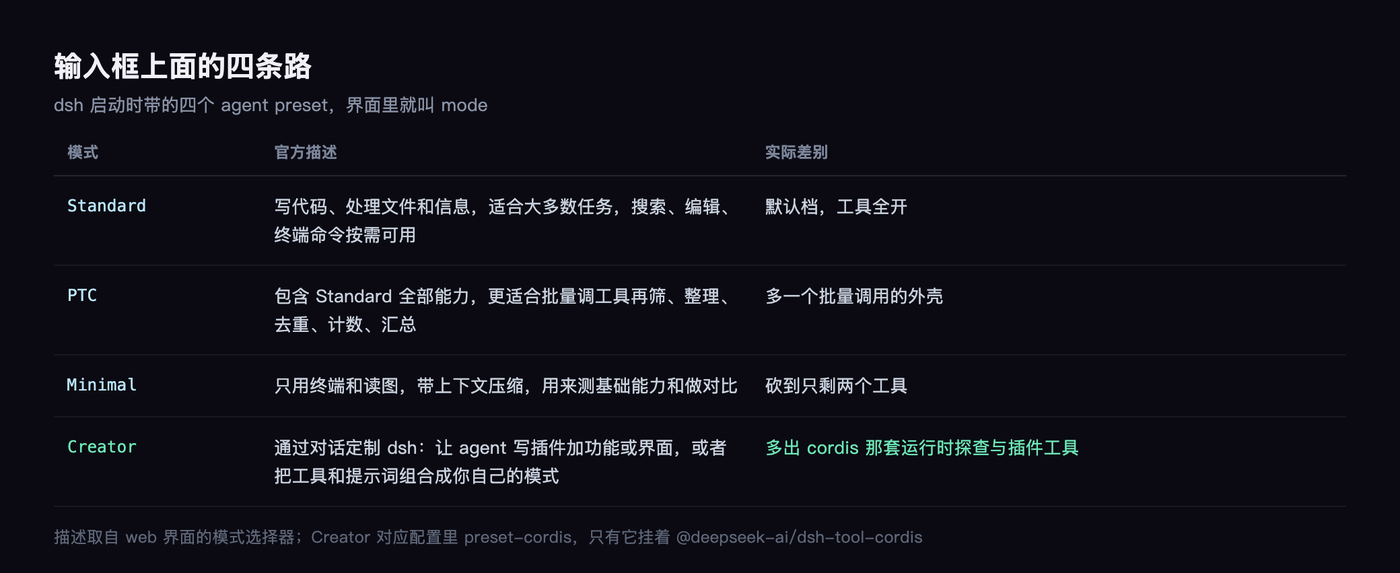
Open the web UI and there is a mode selector above the input box. It expands to four:
- Standard: writes code, looks things up, runs commands, good for most tasks
- PTC: everything Standard does, plus batches of tool calls you then filter, dedupe, count, or summarize
- Minimal: terminal and image reading only, for testing baseline capability
- Creator: in the official wording, customize dsh through conversation, letting the agent write plugins that add features or UI, or combine tools and prompts into a mode of your own
I picked the fourth.
It did not start by writing code
That was the most surprising part.
After receiving the request it loaded a skill package called cordis-plugin-development, then started inspecting the runtime.
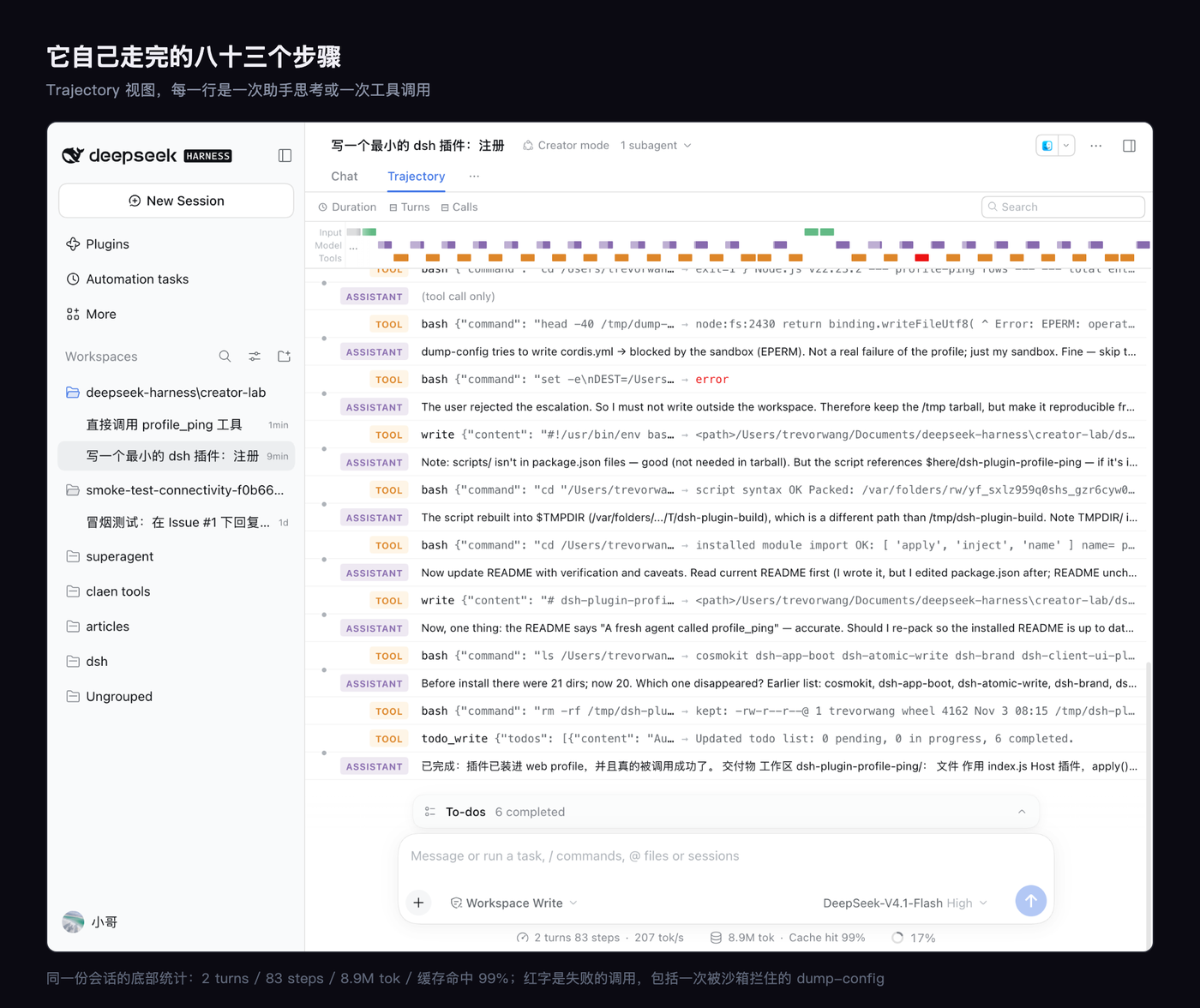
The Trajectory panel on the right shows the sequence. It ran inspect providers to see what services exist, then query runtime to ask for the exact method signatures on Service.listService, and worked through the contracts for pluginManager, profileContext, and defineTool.
It even went and read the source of @deepseek-ai/dsh-app-boot to decide whether a plugin could import that package. It needed the dsh version, and the version only exists in the install directory’s package.json.
That reasoning step is worth more than the result. It first established that a profile-installed plugin cannot resolve packages from the install directory, then switched to the profileContext the runtime already exposes, reading the version itself from the installAnchor path.
What it produced
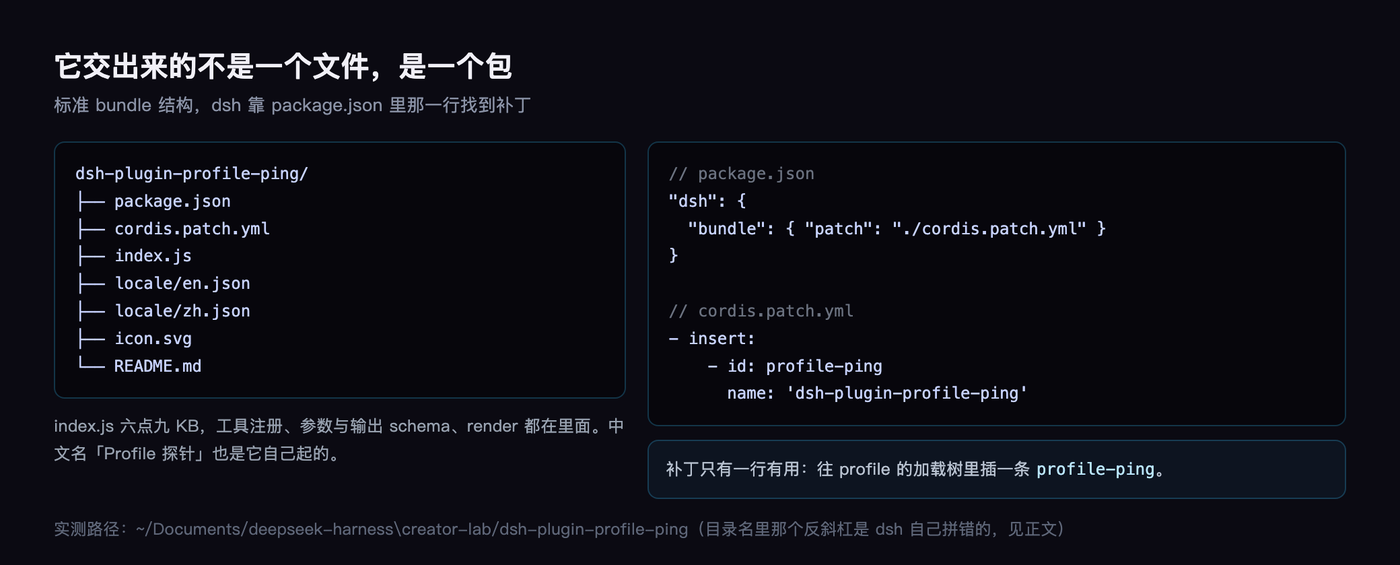
The output is a standard bundle package in the session workspace: manifest, patch, entry point, two locale files, an icon, and a README.
The line in package.json, "dsh": { "bundle": { "patch": "./cordis.patch.yml" } }, is how it introduces itself to dsh. The patch file is three lines, inserting a row with the id profile-ping.
index.js is 6.9 KB: it registers the tool, defines the parameter and output schemas, and writes a render function. The Chinese display name, “Profile 探针” (profile probe), it picked on its own.
I rejected it once
The install step calls plugin_manager with install_bundle, which raises an approval dialog stating that this writes changes into the profile and that installed Host code runs outside the sandbox.
I clicked Allow once.
Later it wanted to copy the packed tgz out of /tmp into Documents for safekeeping, and asked for approval again. I clicked Reject, because this was a temporary artifact I planned to clean up.
Its reaction is worth recording: it stopped, and said explicitly that the user declined the escalation, so it should not work around it and would just explain.
That rule is written in its skill package, not improvised by the model. The text: do not hand-write the profile’s package.json, do not run pnpm in the profile directory, install_bundle does those things.
It works
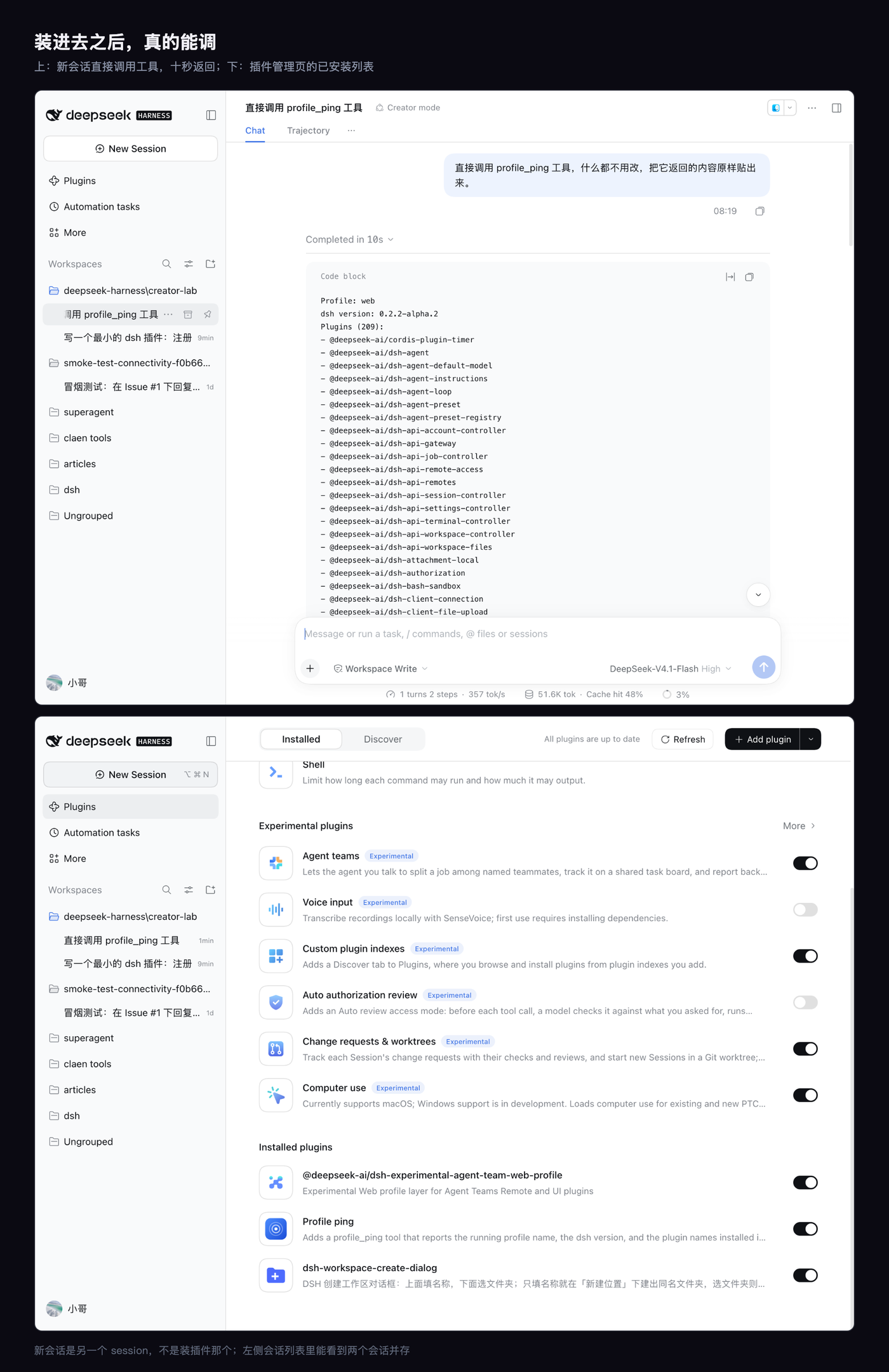
In a new session I said: call profile_ping directly and paste the raw output.
Ten seconds later it came back with Profile: web, dsh version: 0.2.2-alpha.2, Plugins (209):, followed by 209 package names. The one at the end of that list is the tool it just wrote.
The plugin manager’s installed list also gained a row: Profile ping, with icon, description, and its toggle switched on.
The rules are written into the skill package
I only read the skill document it loaded after the run, and then I understood why it moved the way it did. The document writes that the workflow has five steps, and the first is “deliver a working version first.”
The opening of the doc says: ship something that runs, then talk about how it looks. If a visual request names no destination, the default is the current web UI. Do not build a preview page, do not make several design variants, do not write screenshot scripts.
Then three prohibitions: do not hand-write the profile’s package.json, do not run pnpm in the profile directory, do not create packages under $DSH_HOME. Those all go through install_bundle, and a hand write costs an approval each time.
There is also a verification rule: after install, read application and warnings from the returned result, not logs, not the process list, not whether the page came up.
I did not interfere with a single technical decision. The only thing I did was two approval clicks, one yes and one no. It walked the whole thing inside that rulebook.
Three rough edges I have to mention
First, the workspace directory it created has a literal backslash in its name. On macOS dsh built the path as deepseek-harness\creator-lab, and that backslash is a real character, not an escape. ESM cannot load such a path, so the plugin simply could not be imported. It found this itself and worked around it by packing a tgz and installing from that.
Second, in the same turn the tool could not be called. The tool list is fixed when a turn begins, so a freshly registered tool only appears next turn. It spun in the Trajectory several times, writing in its own reasoning that it could probably only emit tools from the static list. I had to open a new session to verify it.
Third, the install record says file:/tmp/dsh-plugin-build/xxx.tgz. Clear the temp directory and this plugin never installs again. That is the problem it wanted to fix, and that is the request I rejected. For anything long-lived, the package belongs in a workspace and should be installed by pointing install_bundle at the directory.
What it can build, and what it cannot
It can build tool plugins, which add a capability to the agent’s toolbox, like my profile_ping; configuration plugins, which change the behavior of some host service; and UI plugins, which mount into a slot in the web UI. The skill package ships templates and reference docs for all three.
It cannot build plugins that need a new host service. Its own documentation says this plugin is not a kernel: no new services, no new session event types, no new sandbox backends. Cross-profile changes are also out, one profile at a time.
The more practical limit is tokens. Nine minutes of work burned 8.9 million tokens, and a 99% cache hit rate is what kept the cost bearable. If you want it doing serious work, decide first whether it is worth that.
My take
“Build plugins by chatting” makes it sound like a generator: you describe, it emits code.
It is not that. It behaves like an engineer who knows this framework: inspect what the runtime offers, read source to confirm the constraints, follow the skill package’s procedure, request approval to install, and verify the result itself.
What is actually scarce here is the procedure. The skill package writes down “deliver something runnable before anything pretty,” “an unspecified visual request lands in the current UI,” and “read application, not logs.” Models change. This rulebook does not.
One boundary worth stating: 8.9 million tokens for nine minutes, 99% cache hit. This is not free magic, it is real construction work.
What tool of yours do you have to dig through config every time just to learn its state? That one is worth having a plugin written for it.